Consent log: every choice, with a CSV export
The Log tab lists every choice visitors made on the site.
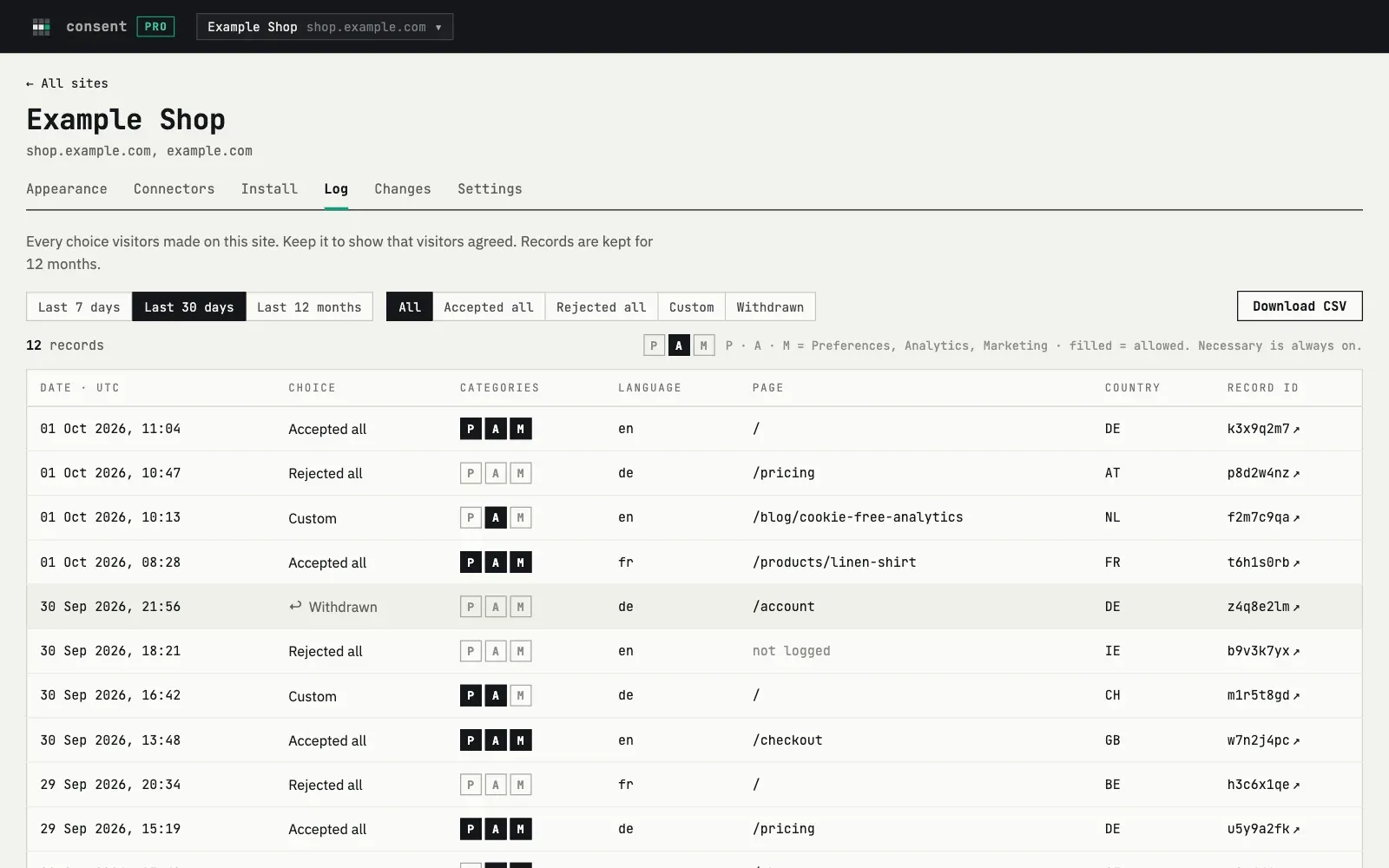
What a record has
Section titled “What a record has”| Column | Meaning |
|---|---|
| Date | Server time, UTC |
| Choice | Accepted all, Rejected all, Custom or Withdrawn |
| Categories | P, A, M for Preferences, Analytics and Marketing. Filled means allowed |
| Language | The language of the banner the visitor saw |
| Page | The page path, without query and anchor. You can switch this off |
| Country | Two letters, from the network |
| Record ID | A random ID created in the visitor’s browser |
“Withdrawn” means the visitor switched off a category they had allowed before. A first choice with everything off is “Rejected all”.
The log does not store IP addresses, names or emails. The record ID is a random value, not linked to a person.
Filter and export
Section titled “Filter and export”Choose a period, 7 days, 30 days or 12 months, and a choice type. “Download CSV” exports the period and filter you see. The CSV has one more detail than the table: the domain the choice came from and the ID of the previous record, if the visitor changed an earlier choice. The categories are in three separate columns.
The record page
Section titled “The record page”Each record ID opens a page with the facts of the choice and the exact banner text the visitor saw at that time, even if you changed the texts later. The visitor can open the same page from the banner.
How long records are kept
Section titled “How long records are kept”Records are kept for 12 months (365 days). A job that runs every night deletes older records. If you delete the site, its log is kept until the records are 12 months old.
Which requests are accepted
Section titled “Which requests are accepted”The log accepts records only from the domains of the site, listed in Settings. The banner does not send records for known bots. If a site sends too many records from one address in a short time, the extra ones are dropped.
When the monthly limit is reached
Section titled “When the monthly limit is reached”The banner keeps working. New choices are not recorded until the 1st of next month. See Plans and limits.