Profile: name, language and time zone in fewbase account
The profile card on fewbase.com/account holds the settings every tool reads from the shared account: your sign-in email, interface language and time zone.
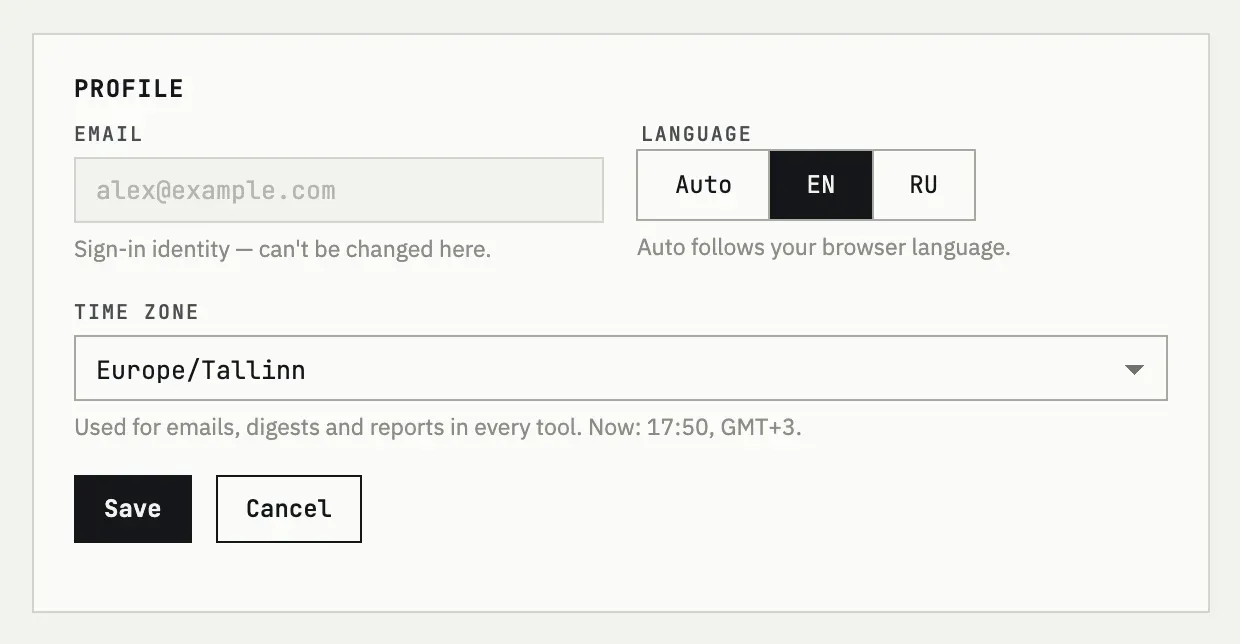
What each field does
Section titled “What each field does”- Email is your sign-in identity and cannot be changed here.
- Language picks the interface language; Auto follows your browser language instead of a fixed choice.
- Time zone decides where a day begins and ends for every tool: it sets which day a Time Recorder entry falls on, when Subscriptions Tracker considers a charge “due today” for its reminders, and the hour Infra Tracker compares against your chosen digest hour before sending it.
Press Save to apply changes, or Cancel to discard them.
Time zone detection
Section titled “Time zone detection”A new account gets its time zone guessed from the request when you first sign in; an existing account’s saved time zone is never overwritten by a new guess. If your current location does not match what is saved, the account page shows a hint with the detected zone and a Use it button that applies it in one click — signing in from a different network does not change your setting on its own.
I moved to another time zone
Open the time zone dropdown and pick the new one, then press Save. If fewbase already detected the new zone from your current location, it shows a hint you can accept with Use it instead of picking it from the list.