Uptime, SSL and domain checks in Infra Tracker
Each project is one site you want watched. It holds the address to check and the cost you attach to it — everything else follows automatically.
Adding a project
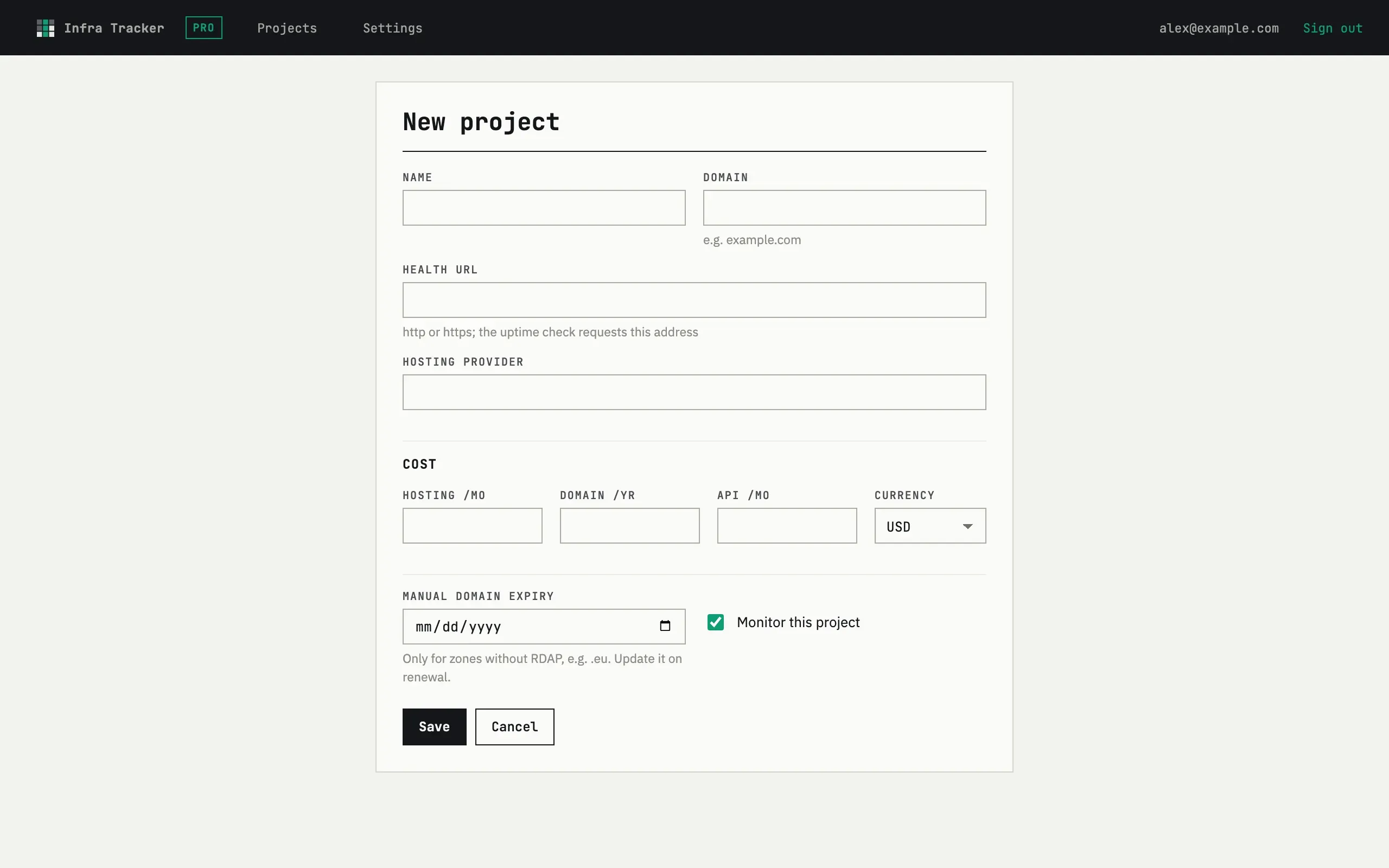
Section titled “Adding a project”Press Add project and fill in Name, Domain and Health URL.
The domain is used for the registration-expiry check; the health URL is
what the uptime check actually requests, and it must answer over http or
https. Hosting provider is a free-text label, and Manual domain
expiry is only needed for zones without an RDAP record, such as .eu —
otherwise the domain expiry date is looked up automatically.
Three checks, three intervals
Section titled “Three checks, three intervals”- Uptime — requests the health URL every five minutes.
- SSL — checks the certificate chain and expiry once a day.
- Domain — checks registration expiry once a day, in the same daily sweep as SSL.
History
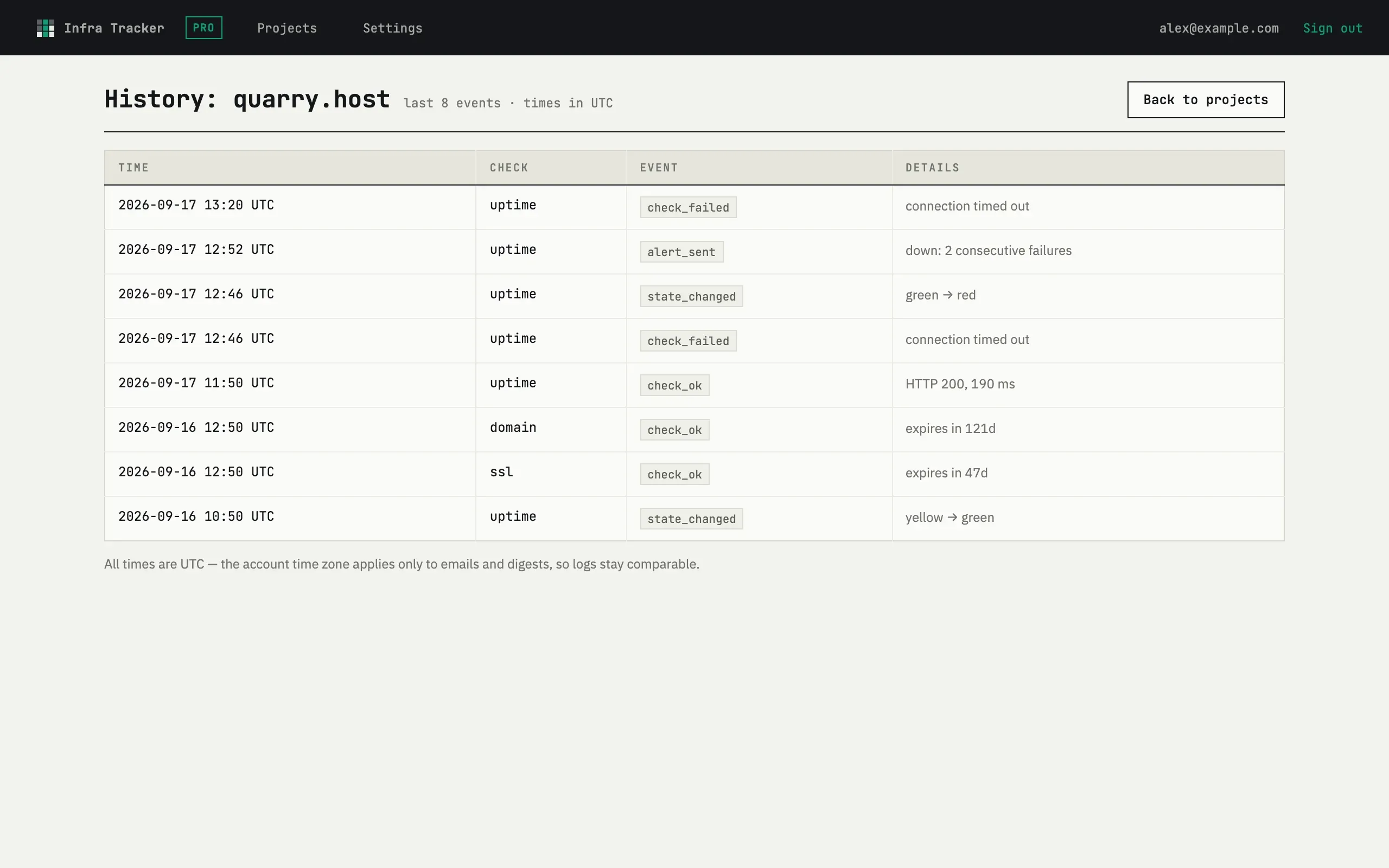
Section titled “History”Every check that changes state — a failure, a recovery, an expiry warning — is logged. Open History on a project to see the last events, with a Time, Check, Event and Details column. All times are UTC, so entries stay comparable regardless of your account time zone; the digest and alerts are the only places your own time zone applies.
Turning monitoring off
Section titled “Turning monitoring off”The Monitor this project checkbox on the edit form pauses a project without deleting it — a paused project shows as Off on the dashboard and stops counting toward the free plan’s limit.
My site needs a header or authentication for the health URL
The uptime check is a plain GET request with no custom headers, cookies or
authentication — it follows redirects, but it can’t sign in first. Point the
health URL at a public endpoint, such as a dedicated /health route that
doesn’t require a login.