Getting started with Infra Tracker uptime monitoring
1. Add a project
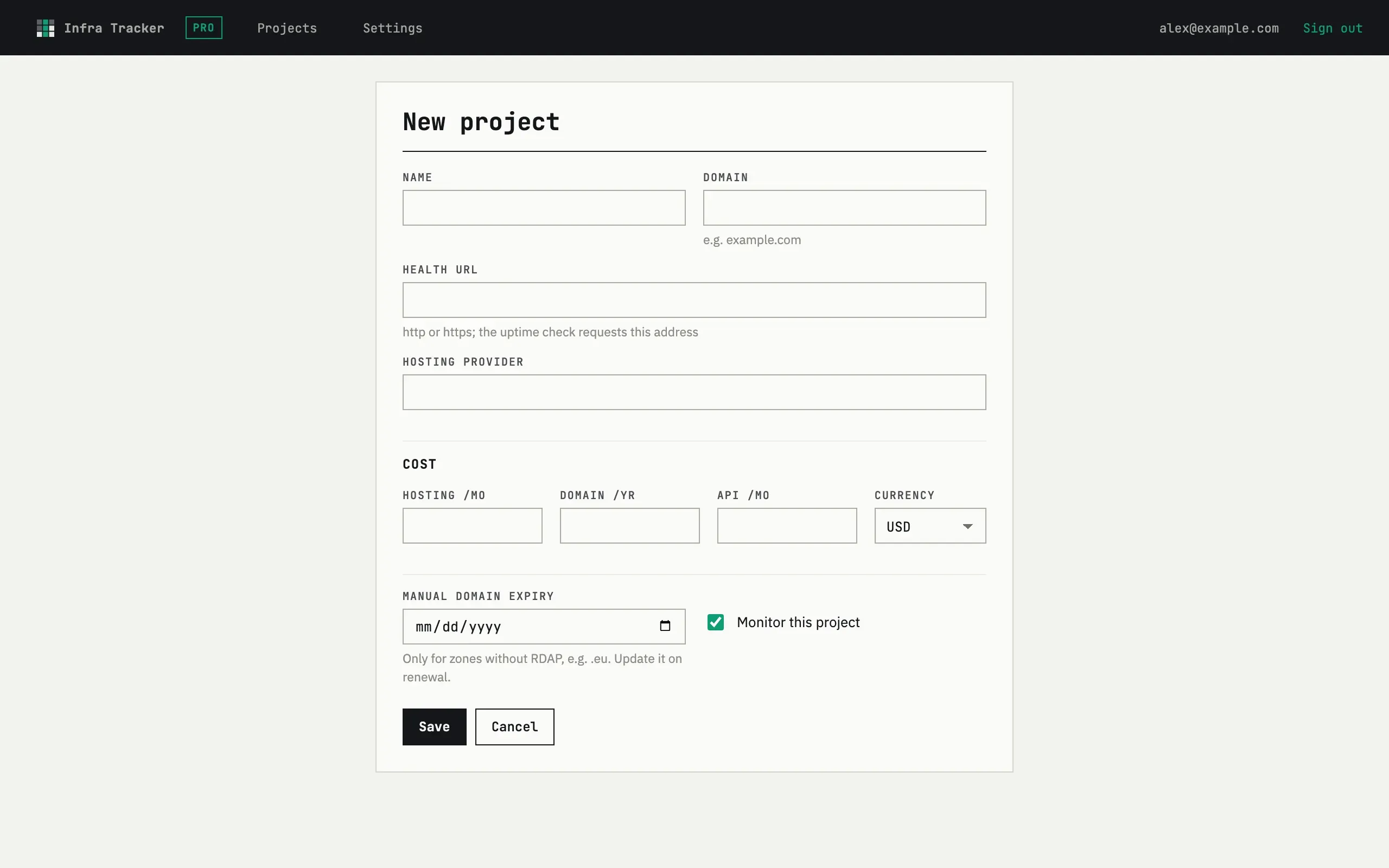
Section titled “1. Add a project”Open fewbase.com/infra, press Add project
and enter a Name, Domain and Health URL — the address the uptime
check requests. The Hosting provider field is optional, and so is a
Manual domain expiry date for zones without RDAP lookup, such as .eu.
2. Checks start immediately
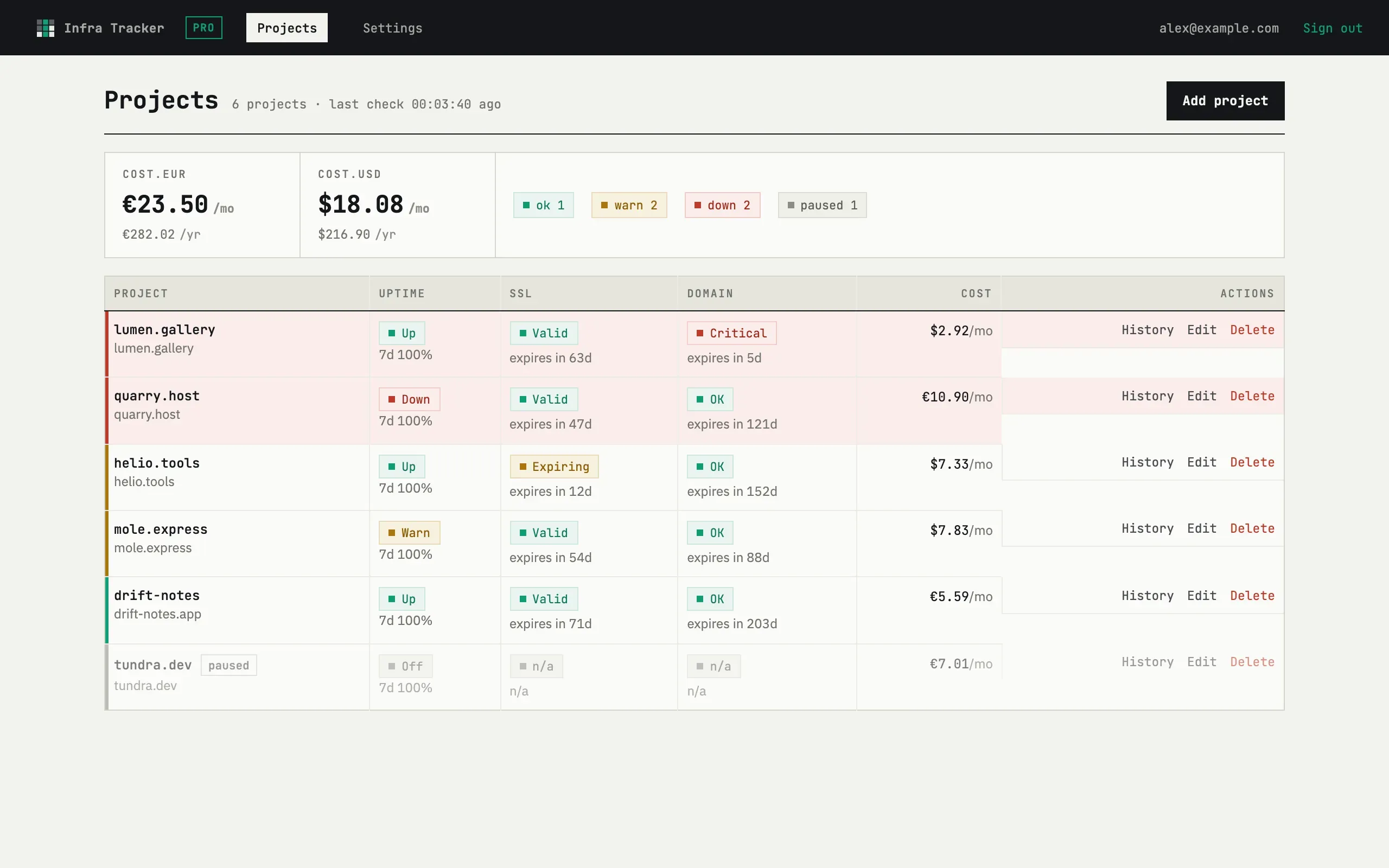
Section titled “2. Checks start immediately”The first uptime check runs within a few minutes of saving; SSL and domain checks follow. The dashboard shows each project with its three indicators — Uptime, SSL, Domain — plus a Cost column and a History link.
3. Choose where alerts land
Section titled “3. Choose where alerts land”In Settings, the Digest & intervals card sets the hour for the daily digest; the Notification channels card turns email and Telegram on or off. Red alerts go out at once regardless of the digest hour.
How often are checks run?
Uptime every five minutes, SSL and domain once a day. The last result and the time of the next run are shown on the project card.