Invoice drafts, line items and totals in Invoices
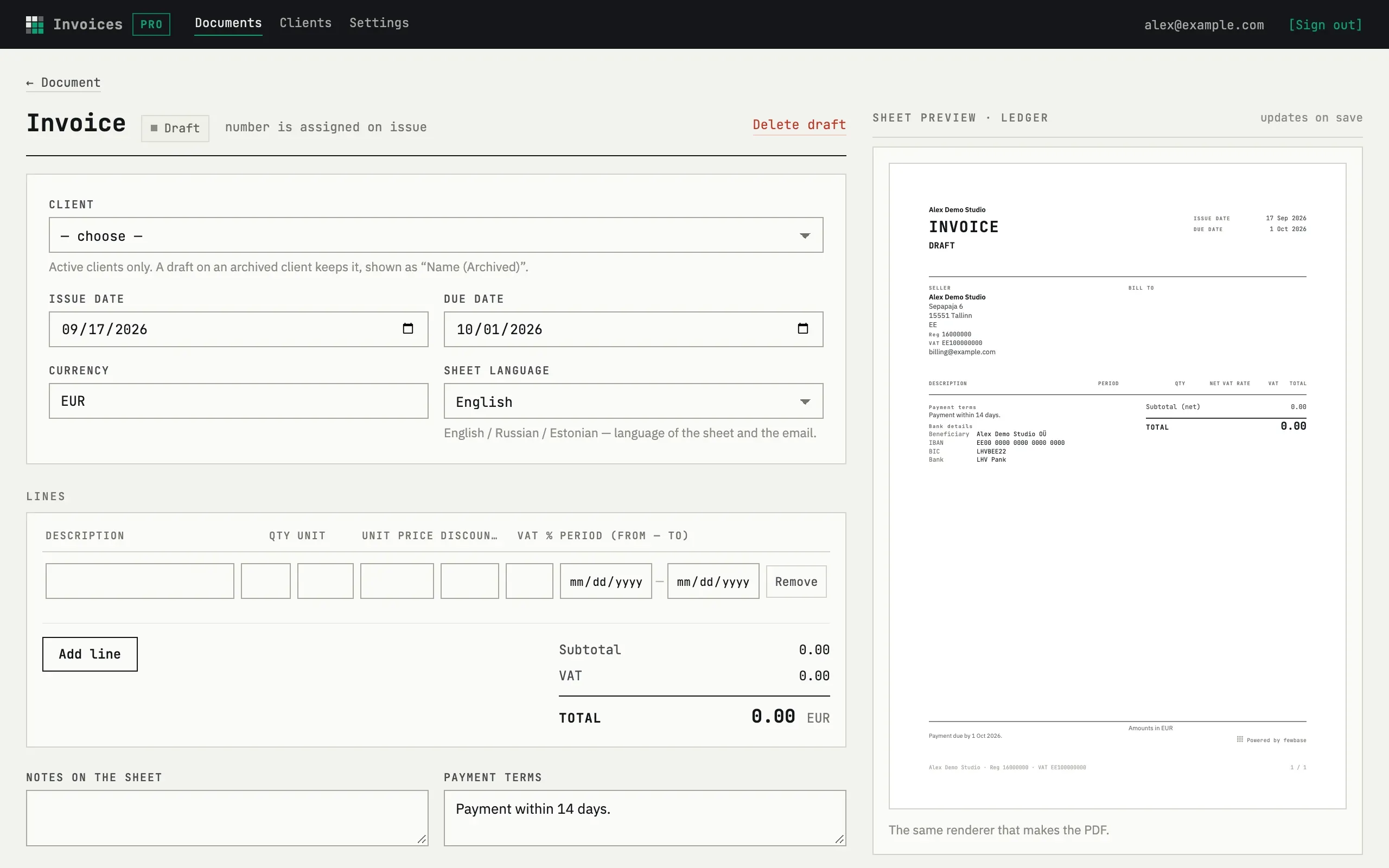
A document is an invoice, quote or credit note. There is no separate “new document” page: New invoice, New quote or New credit note on the documents list creates a draft and opens straight into its edit form.
The draft form
Section titled “The draft form”Pick the Client (active clients only — an archived one stays if it was already on the draft), Issue date, Due date, Currency and Sheet language. Under Lines, each row has Description, Qty, Unit, Unit price, Discount %, VAT % and an optional Period (from — to); Add line appends a row and Remove deletes one. The totals — Subtotal, VAT, Total — recompute in the browser as you type, before anything is saved; the sheet preview on the right updates on save.
Save stores the draft and its lines; the header still reads “number is assigned on issue” until you issue it.
Editing and removing a draft
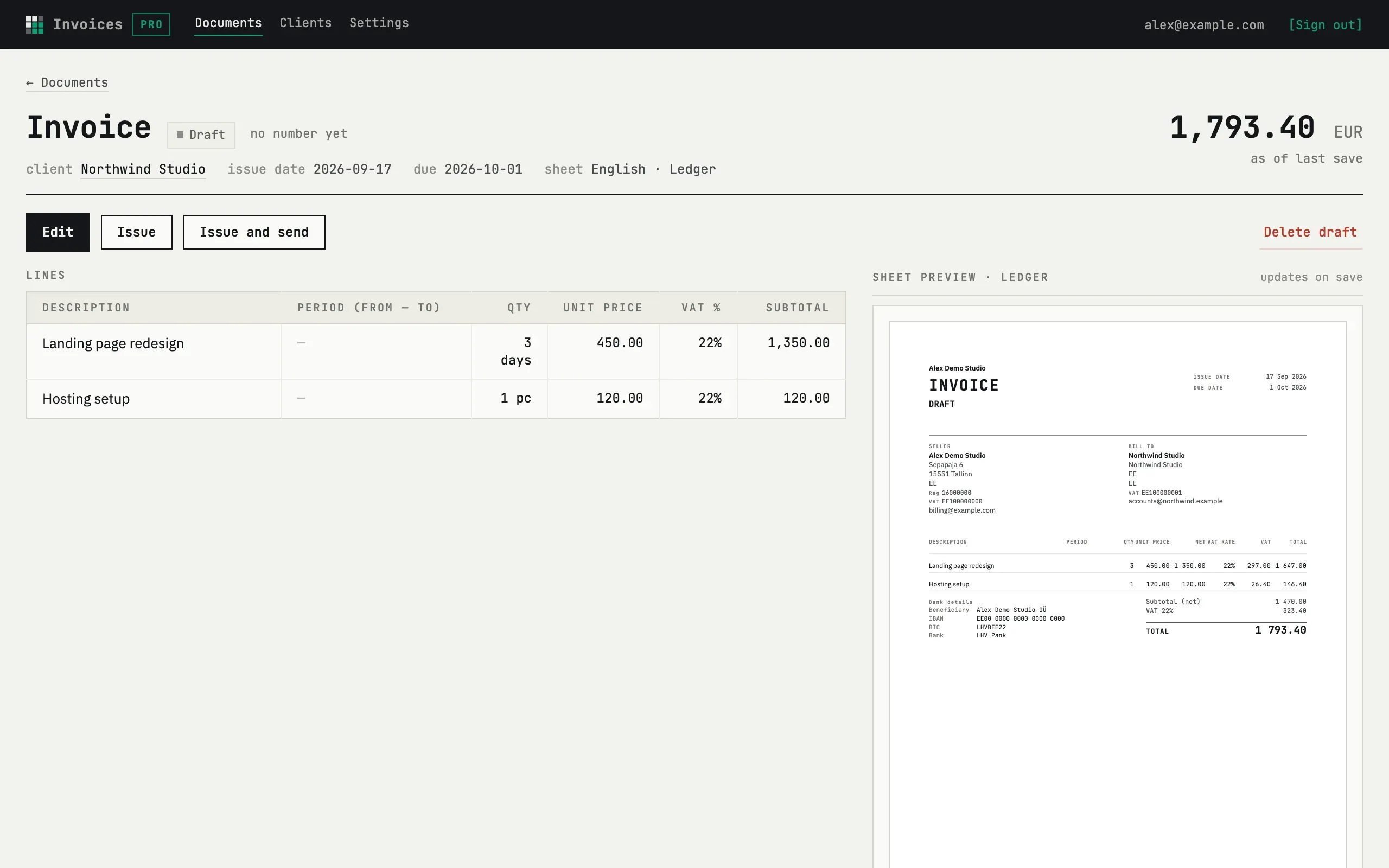
Section titled “Editing and removing a draft”Reopening a draft from the document card shows the same form. Delete draft removes it outright — this only works before issue; an issued document cannot be deleted, only voided.
Duplicate, available once a document is issued, creates a new draft with the same lines and today’s dates, with no reference back to the source — unlike a credit note, which does link to the invoice it corrects.
Can I change the currency after adding lines?
Yes, on a draft or on an issued document without payments. It is not a conversion, though. The currency field is just relabelled; unit prices already typed keep their numbers and are now read in the new currency.
What happens to unfinished rows if I add or remove a line?
Add line and Remove save the form first, so text typed in other rows is never lost — the page reloads with the same values plus the change.