fewbase account: one sign-in for every tool you use
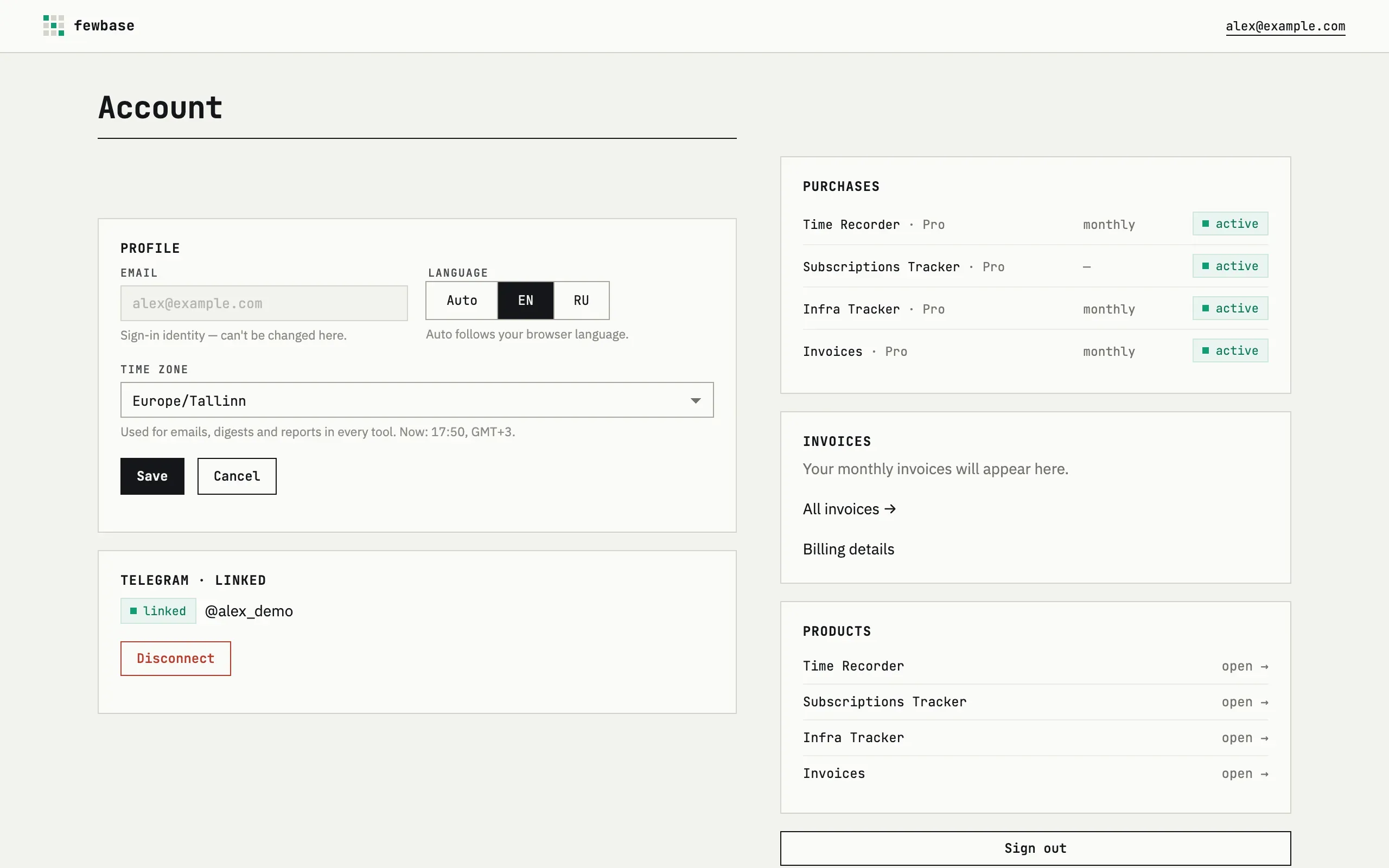
Every fewbase tool shares one account. You sign in once with a magic link and every product — Time Recorder, Invoices, Subscriptions Tracker, Infra Tracker, Support — opens with it. This section covers the account itself: signing in, the profile, Telegram, billing and your data.
Who it is for
Section titled “Who it is for”A fewbase account is for one person running their own work: a freelancer, an indie developer, or a one-person studio using one or more fewbase tools. There are no team seats or shared logins to manage — the account belongs to you, and every tool you add reads the same profile, Telegram link and billing history. If you only ever use a single tool, the account still saves you a second sign-up; if you use several, it is what ties them together.
What it does
Section titled “What it does”- Sign-in — a magic link sent to your email, no password to remember.
- Profile — display name, language and time zone, shared by every tool.
- Telegram — one bot link used by several tools for commands, reminders and alerts.
- Billing — one subscription through Stripe covering every tool, managed from a single page.
How it is different
Section titled “How it is different”- One account and one Telegram link cover all five tools — nothing to connect or re-authenticate per tool.
- Sign-in is a magic link, not a password: there is nothing to choose, remember, or leak in a breach.
- Stripe holds and processes your card; fewbase stores only the plan and status that Stripe reports back.
Pricing across tools
Section titled “Pricing across tools”Having a fewbase account and signing in costs nothing. Every tool then shares the same fewbase Pro and Business plans through one Stripe subscription — there is no per-tool plan — see Billing for current prices.
Where to next
Section titled “Where to next”- Getting started — sign in, fill in your profile, and link Telegram in a few minutes.
- Sign-in — how the magic link works.
- Profile — display name, language and time zone.
- Telegram — linking, unlinking, and what each tool does with it.
- Billing — plans, purchases and invoices.
- Data and deletion — what is stored and how to remove it.
- Time Recorder — task time tracking with a timer and a Telegram remote.
- Invoices — invoices, quotes and credit notes for your clients as PDF.
- Subscriptions Tracker — recurring payments in one place, with reminders.
- Infra Tracker — uptime, SSL and domain expiry monitoring.