Support settings: name, language, accepting requests, auto-close
Settings holds the current service — the one named in the service menu at the top. Only the owner opens this page.
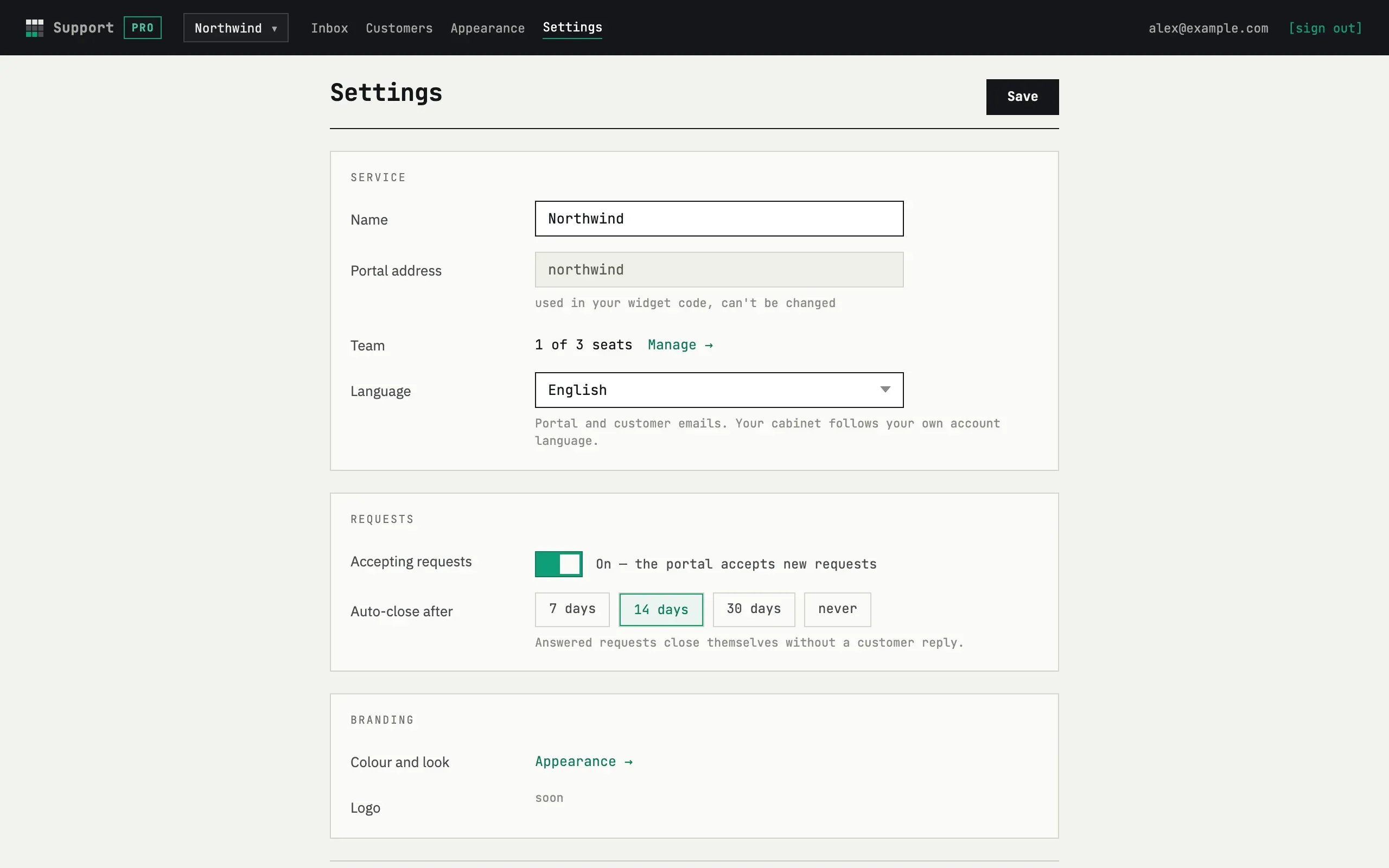
Service
Section titled “Service”- Name — shown in the portal header, in the signature of your replies on the customer’s page (“Name Support”) and as the sender name of every customer email (“Name via fewbase”).
- Portal address — read-only. It is part of the portal URL and the widget snippet, so it is fixed when the service is created. The widget’s look has its own tab — see Appearance.
- Language — English or Russian for the portal, the customer pages and every email to customers. Your own inbox follows your account language, not this setting.
Requests
Section titled “Requests”- Accepting requests — switch it off to stop new requests: the portal and the widget show “This service isn’t accepting requests right now” instead of the form. Existing requests are unaffected — customers still open their threads and reply, and you still answer from the inbox.
- Confirm the sender’s email: on by default, on every plan. On, a guest request is not a ticket yet: the sender gets a link by email and the ticket is created only after they press the button. Off, a guest request becomes a ticket right away. See What your customer sees. Such a ticket carries the “email not verified” label until the customer takes an action on their personal link, and it can be deleted. See Requests and Security and data.
- Auto-close after — 7, 14 or 30 days, or never; the default is 14. An answered request with no customer reply for that long is closed automatically once a day and the customer is told by email. See Requests.
Press Save at the top or the bottom of the form.
The Team line sits in the Service section, right after the portal
address: “N of M seats · Manage →”. It opens a separate page,
/settings/team, that only the owner can open.
- Inviting — enter an email and press Invite. The address is normalized (trimmed, lower-cased); inviting the same address twice, or your own address, is rejected.
- The invitation email tells the person to sign in to fewbase with that address — the invitation is accepted automatically the next time they open the cabinet on a session with that email. There is no separate “accept” step.
- What an agent can do — answer requests in the same shared inbox as the owner. What an agent cannot do — open Settings, the Appearance tab or the Team page; each answers 404, as if it didn’t exist. An agent cannot invite or remove teammates, rename or delete the service.
- Removing — the Remove button on the team page removes an agent or a pending invitation; the owner cannot be removed. A removed agent loses access on their very next request.
- Seats count every row in the table — the owner, agents who signed in, and invitations nobody has accepted yet. Free gives 1 seat (the owner alone, no invite form); Pro gives 3; Business gives 10. See Plans and limits.
- If the owner’s plan drops to a smaller number of seats, agents whose position in the team (owner first, then earliest invited) now falls beyond the new seat count see an explanation page instead of the inbox, and stop getting new-request and reply emails. The owner’s own access to their service is never affected, on any plan.
Branding
Section titled “Branding”The Branding section links to Appearance →, where colour, theme and the “Powered by fewbase” line now live — see Widget: Appearance. A logo is not part of Appearance yet; the Logo row still says “soon”.
Delete service
Section titled “Delete service”The last section deletes the service with everything in it: requests, messages, customers and images. Type the portal address exactly to confirm and press Delete service. The customers’ links stop working; there is no undo. The portal address becomes free again.
Can I rename the portal address?
No. Create a new service with the address you want (+ New service in the service menu) and delete the old one. Requests do not move between services.