Time Recorder: one timer, editable day, Telegram
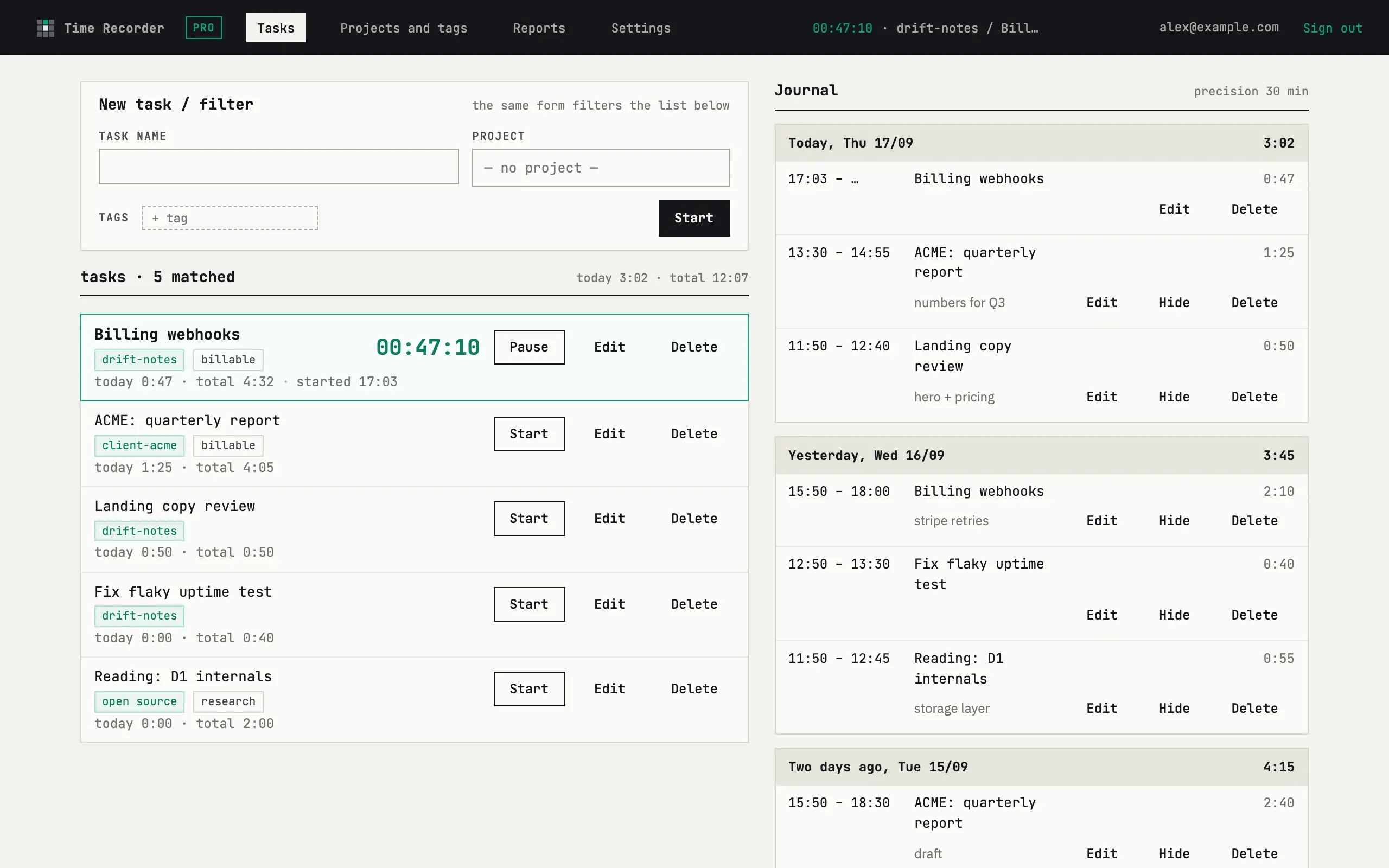
Time Recorder answers one question: where did the working hours go. One timer runs at a time; the day it produces is a list you can edit by hand.
Who it is for
Section titled “Who it is for”Time Recorder is built for one person working alone — a freelancer, an indie developer, or a one-person studio — not a team. There is no team plan, shared workspace, or second seat: one fewbase account signs into every tool, including this one. It tracks the hours spent on tasks and turns them into a report you can send to a client or keep for yourself.
What it does
Section titled “What it does”- Timer and day. One running timer, rounding on pause, and a day you can edit entry by entry.
- Projects and tags. Group tasks by project, mark them with tags — up to 3 active projects on Free.
- Reports. Pick a period, see totals by project and task, export PDF or CSV.
- Telegram. Start, pause and resume tasks from a card in your chat with @fewbase_bot — no need to open the site.
- Plans. Free covers 3 projects and 7-day exports; fewbase Pro removes both limits for €9/mo or €90/yr.
How it is different
Section titled “How it is different”- A Telegram remote, not a second app. The bot only starts, pauses and resumes the one timer that already exists — projects, tags and reports stay on the site.
- Nothing is locked. Every entry the timer produces — its start, end and note — stays editable by hand, even after the day is over.
- One account for every tool. The same fewbase sign-in that opens Time Recorder also opens the other fewbase tools.
Free and Pro
Section titled “Free and Pro”Free covers up to 3 active projects and exports of the last 7 days; fewbase Pro removes both limits for €9/mo or €90/yr (excl. VAT). Details are on Plans.
Where to next
Section titled “Where to next”- Getting started
- Timer and day
- Projects and tags
- Reports
- Telegram
- Plans
- Account & billing — sign-in and Telegram link.