 Time Recorder
Know where your working hours actually go
A task time tracker with one running timer: start it, work, stop it. Forgot to stop? Fix the entry inline in the day journal. Export reports as PDF or CSV.
Works with Claude and ChatGPT: ask your AI assistant to start the timer or to tell you how many hours you worked this week. How to connect
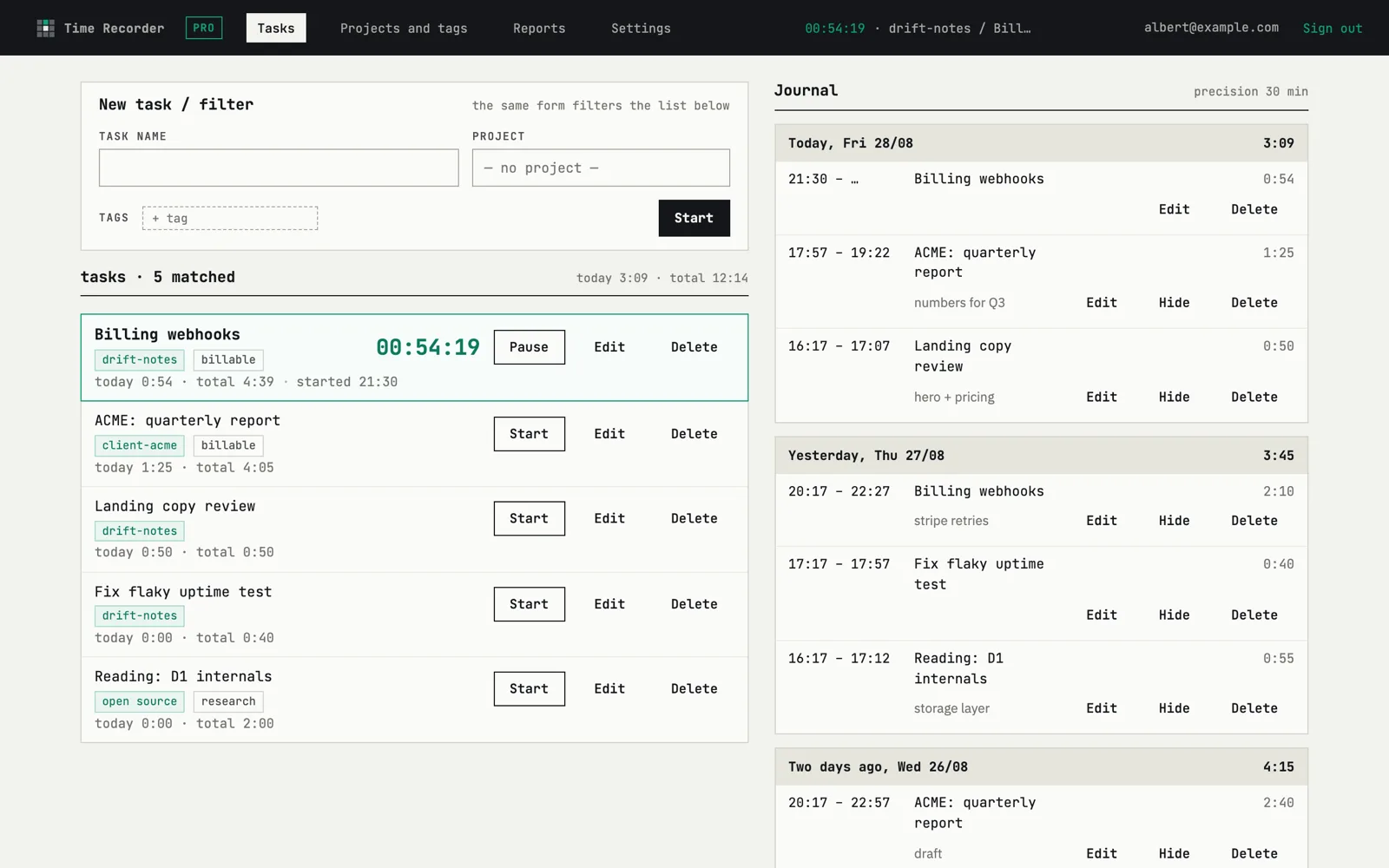
One running timer, and a day you can edit
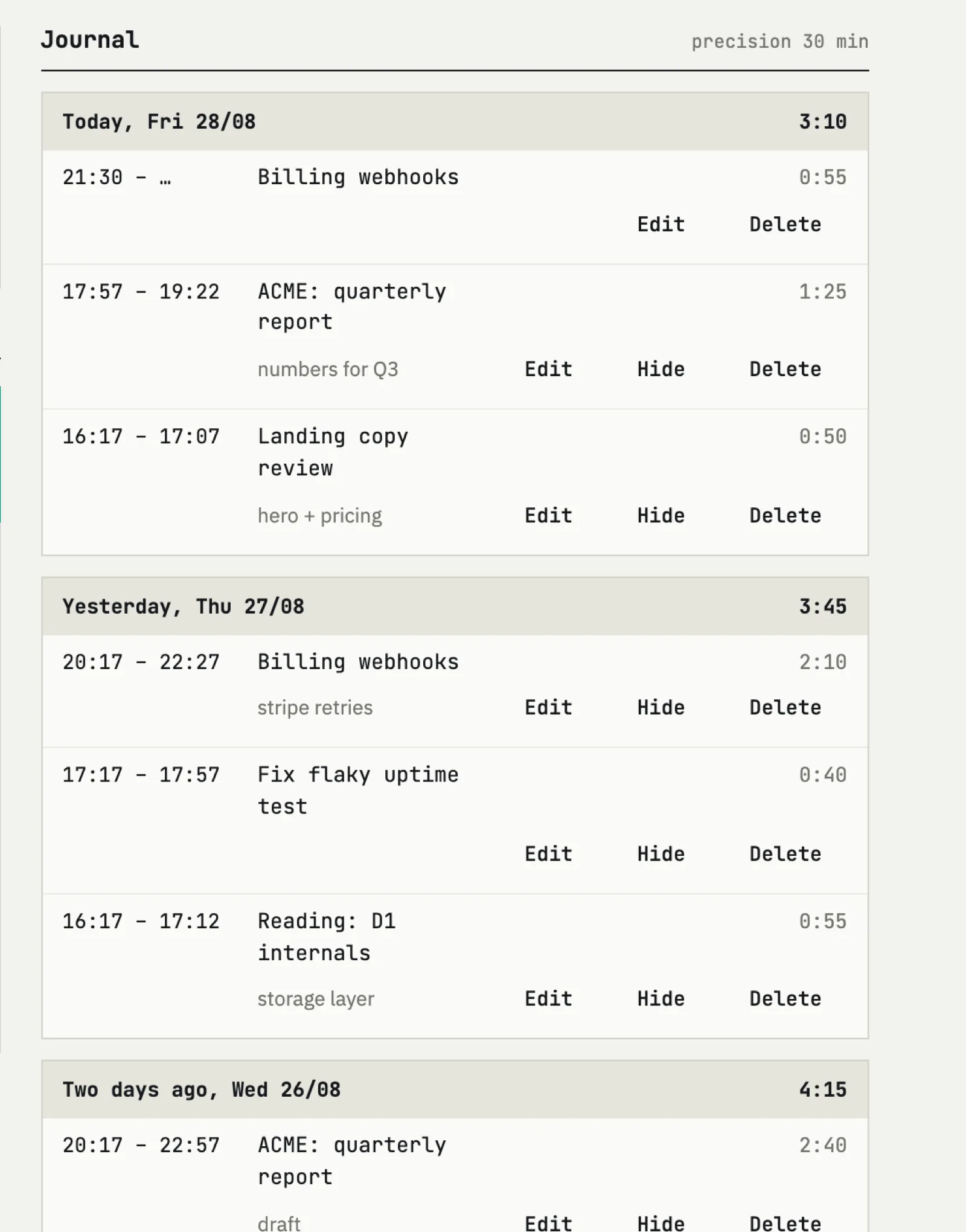
Only one task runs at a time, so the log never contradicts itself. Starting a new task stops the previous one. The day journal shows every entry with its start, end and duration — click a value and correct it in place, no modal, no separate edit screen.
- Start and stop in one click from the task list
- Inline edit of start, end and task on any entry
- A note on any entry — what exactly that hour went on
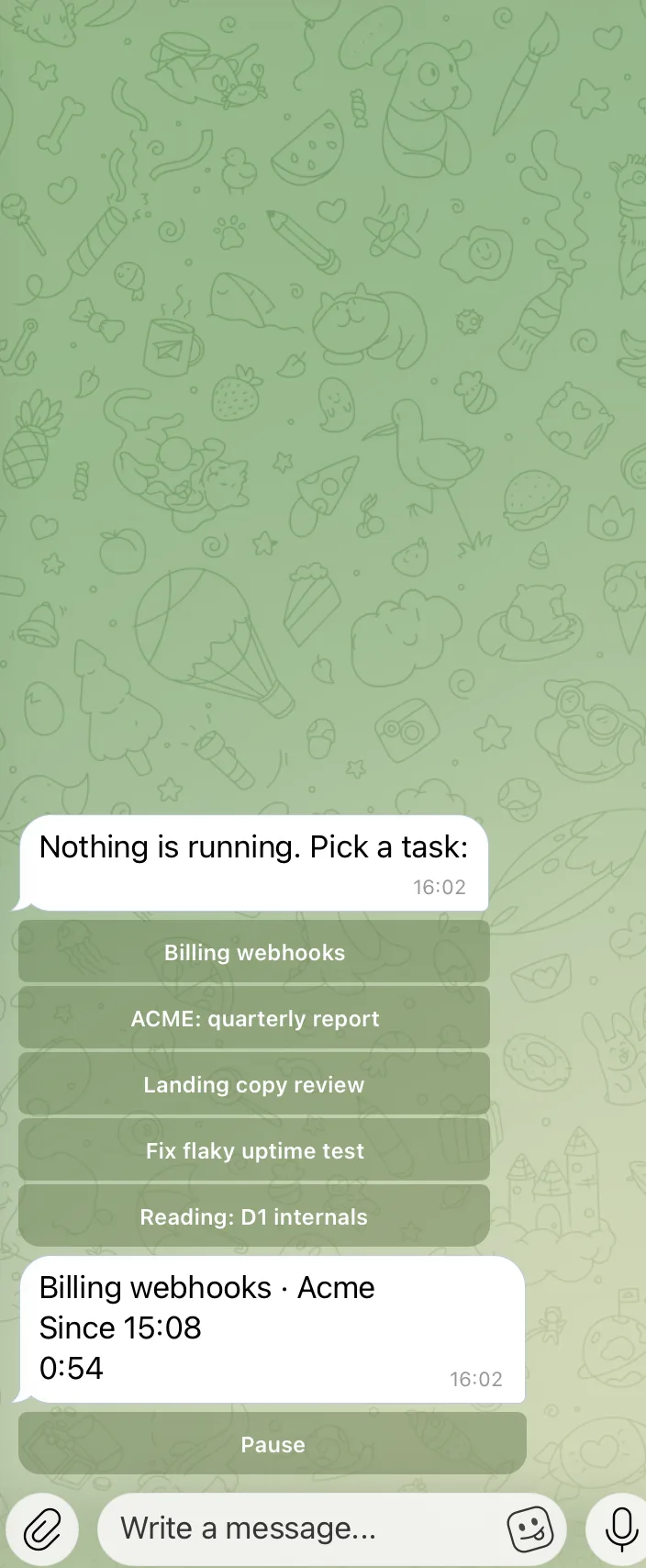
Time tracking with Telegram as the remote
Most timers are lost because the laptop is closed. Connect Telegram once in your account and control the timer from the chat: start a task, pause it, pick it back up, ask what is running right now. The bot answers with the task name, the time it started and how long it has been going.
- Start, pause and resume without opening the app
- Same account, same tasks — nothing to sync
- Connected and disconnected from the account page
Projects and tags, structure without ceremony
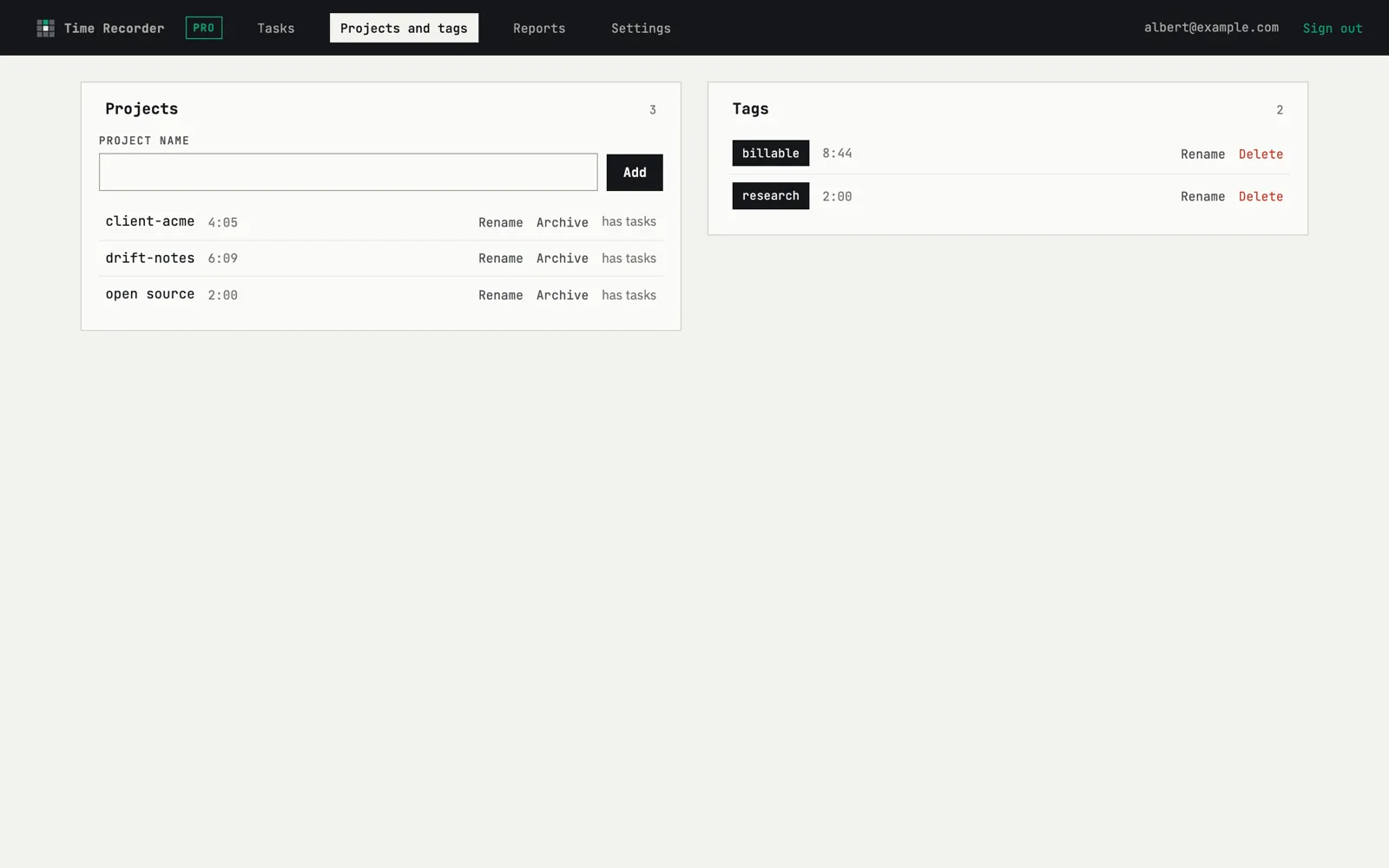
A task belongs to a project; tags cut across projects when you need another angle — client, billable, research. That is the whole taxonomy. No boards, no statuses, no sprints to maintain.
- Archive a project without losing its history
- Filter the journal and reports by project or tag
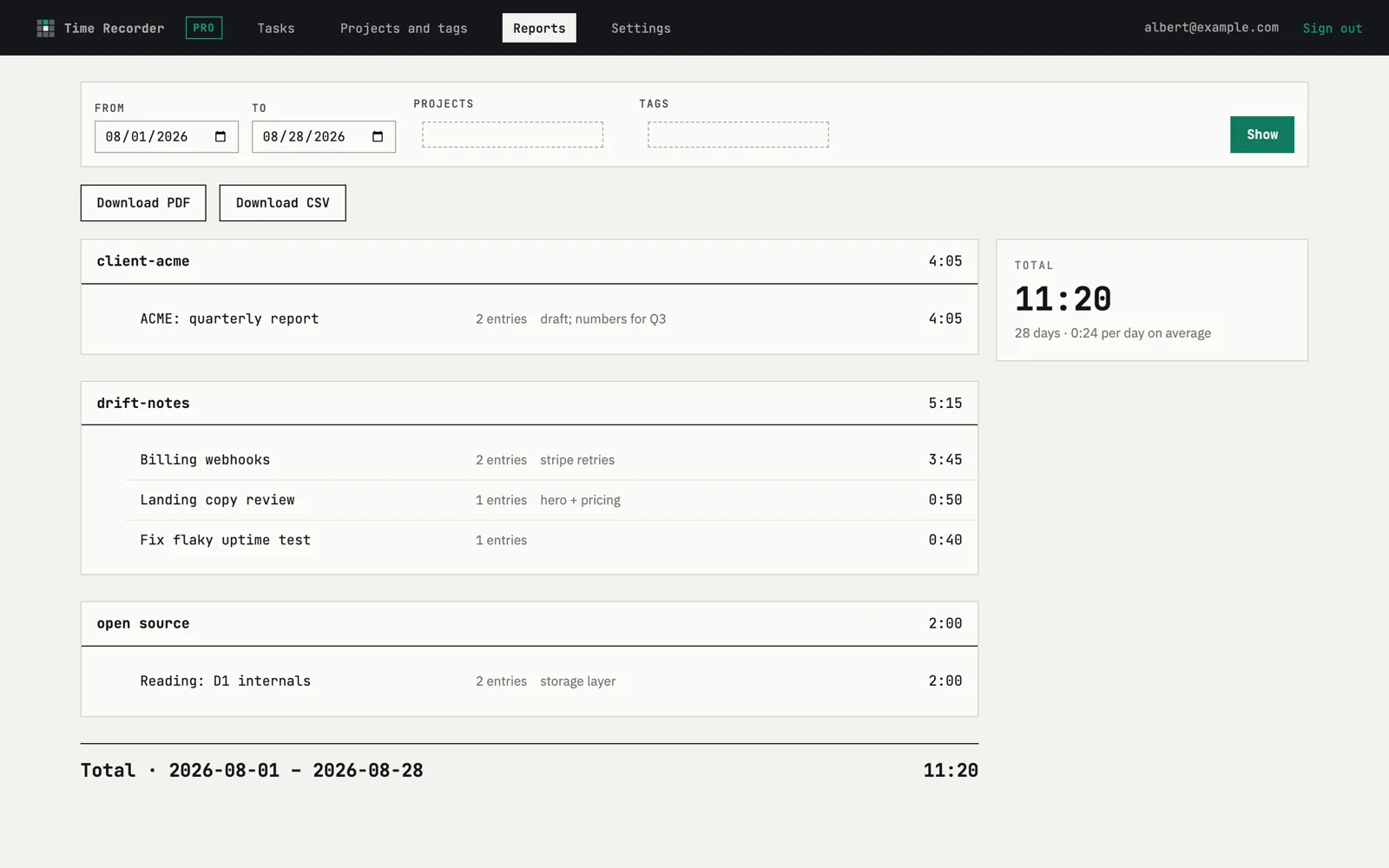
Time tracking reports you can hand over
Pick a period, filter by project or tag, and get hours per task with a total. The same view exports to PDF, so an invoice attachment takes one click instead of an evening in a spreadsheet.
- Any date range, not just calendar months
- PDF export of exactly what you see
How it works
Sign in with a link
Enter your email, open the one-time link. No password, no setup wizard.
Add tasks and start the timer
Type a task, hit start. Optionally connect Telegram to do it from your phone.
Review the day, export the period
Correct entries inline in the journal, then export a report as PDF.
Pricing
Three projects free, forever. One fewbase subscription unlocks this and every other tool.
Free
- 3 active projects, exports up to 7 days
- Unlimited tasks and history; on-screen reports for any period
- Telegram remote included
fewbase Pro
- Unlimited active projects
- PDF and CSV export for periods up to 180 days
- Pro in every other fewbase tool, same subscription
FAQ
Can I control the timer from my phone?
Yes. Connect Telegram in your account and the bot can start a task, stop the timer and report what is currently running. There is no separate mobile app to install.
Can I export reports?
Yes — any report, a date range with project and tag filters, exports to PDF or CSV exactly as shown. On Free the exported period is capped at 7 days, on Pro at 180. On-screen reports are not capped on either plan.
Do I need a password?
No. Sign-in is a one-time link sent to your email; it works once and expires in 15 minutes. Nothing to remember and nothing to reuse elsewhere.
Is there a free plan?
Yes — up to 3 active projects with unlimited tasks and history, the Telegram remote included, and exports capped at 7-day periods. No credit card is required to start.
Start free
Track today and look at the numbers tomorrow. That is usually enough to know whether it is worth keeping.