 Support
Support tickets for your product. One line of code.
A portal page, a widget for your site and replies by email. Every request gets a number, a status and one thread — instead of getting lost in a shared inbox.
<script src="https://fewbase.com/support/widget.js" data-tenant="your-service" async></script>The button in the corner is the real widget. Write to us — it lands in our own inbox.
How it works
Create a service
A name and a portal address. The portal page is live the moment you press Create.
Paste the script
One line before </body>. The look is set in Appearance, so the line never changes.
Answer from your inbox
Every request has a number and a status. You reply in the thread; the customer gets it by email.
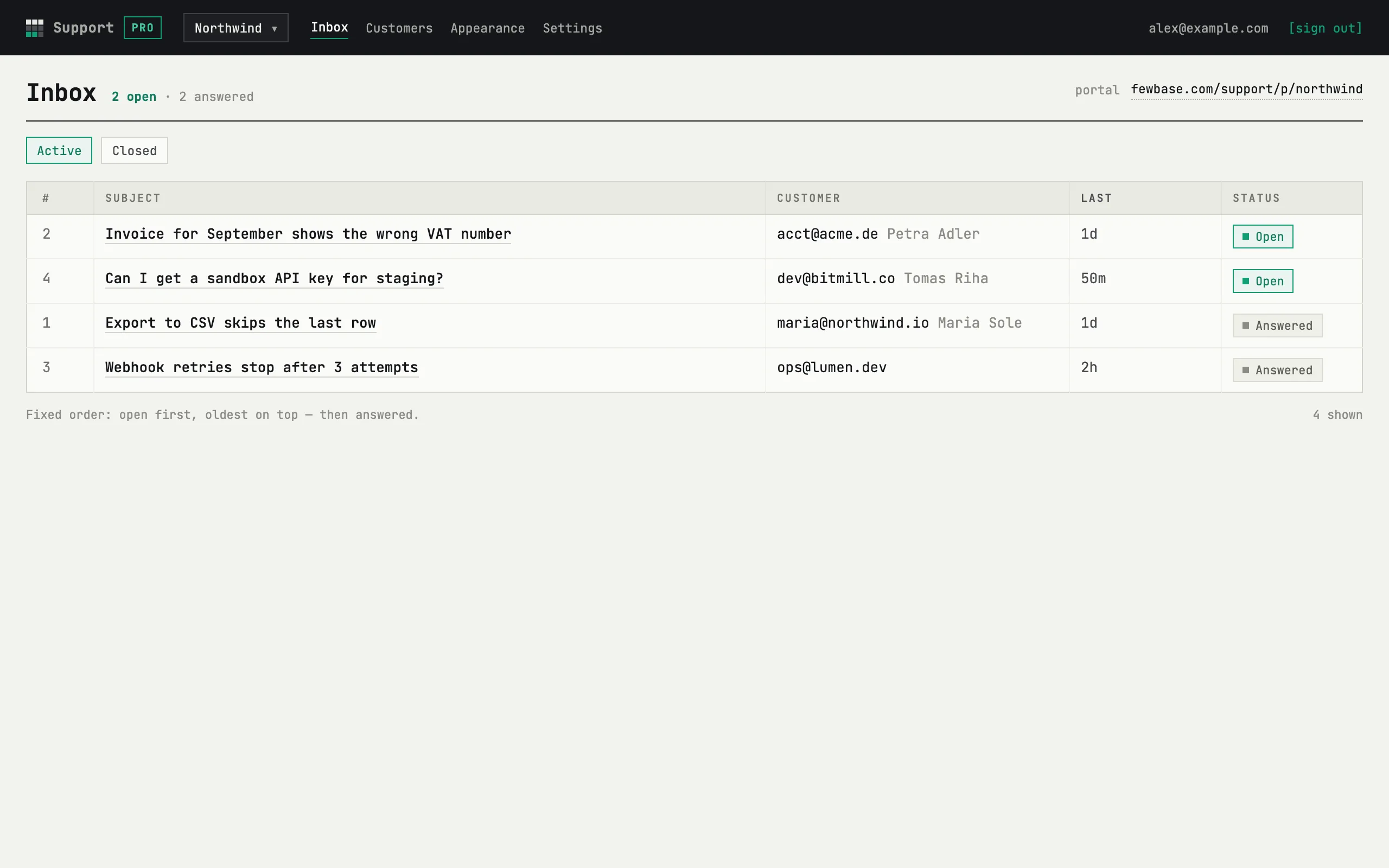
One inbox, statuses that mean something
Open means it waits for you, answered means it waits for them, closed means done. The request waiting longest is on top — no sorting to fiddle with, nothing slips down a mail folder.
- Number, subject, customer and last activity in one row
- Closed requests in their own tab; a customer reply within 30 days reopens one
- Auto-close after 7, 14 or 30 days — or never
A thread, not an email chain
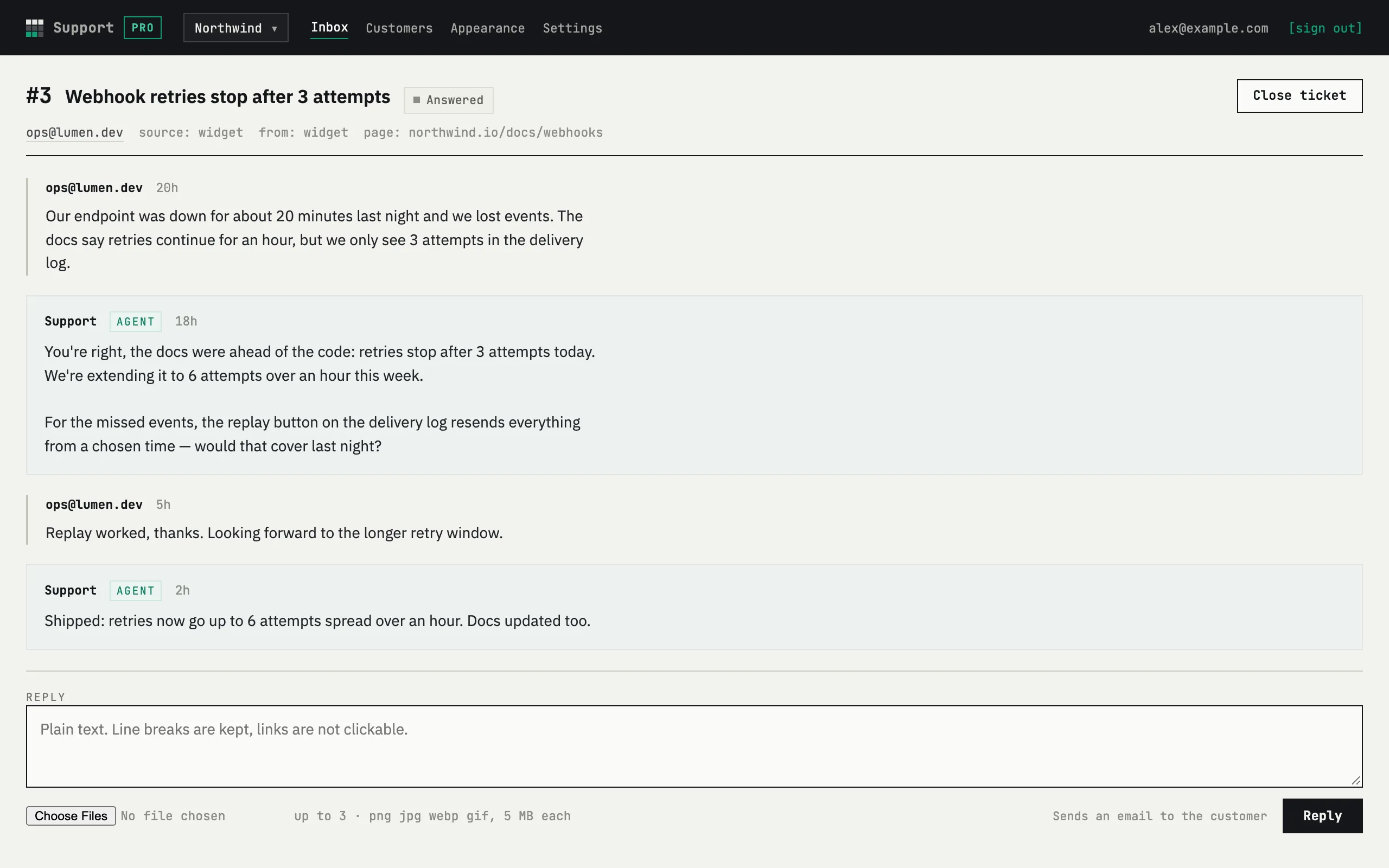
Every message of a request in one column, with the customer's screenshots inline. You reply at the bottom; the customer gets it by email and answers from there.
- Up to 3 images per message, 5 MB each
- Where it came from — portal or widget — and the page it was sent from
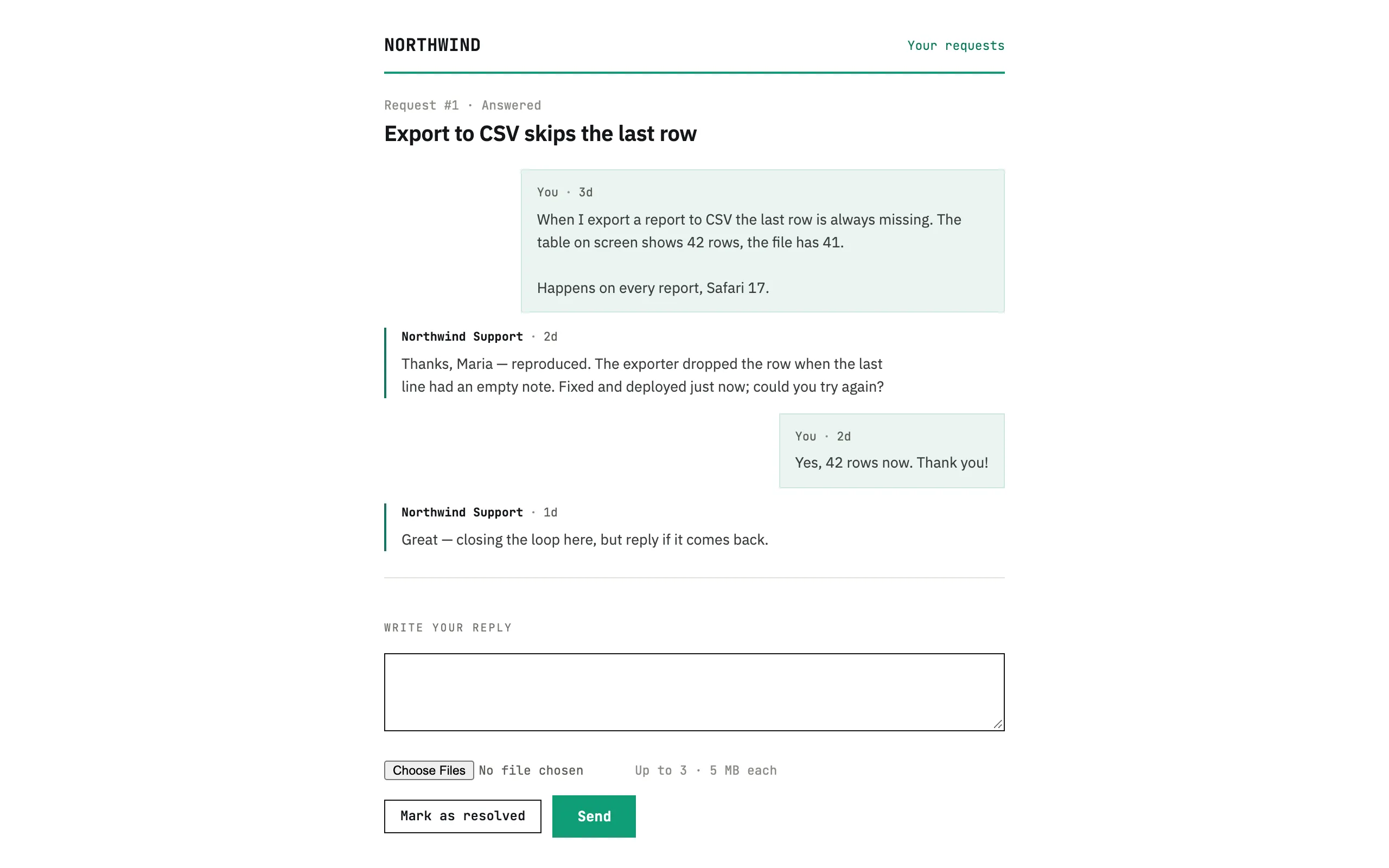
Your customers see your name
The portal, the form and the thread carry your service name; the colours are yours to set in Appearance. Honestly: emails go out from “your service via fewbase”, and the portal has a small “Powered by fewbase” line on Free.
- Customers never see agent names — replies are signed with the service
- No account for the customer: a personal link arrives with the first request
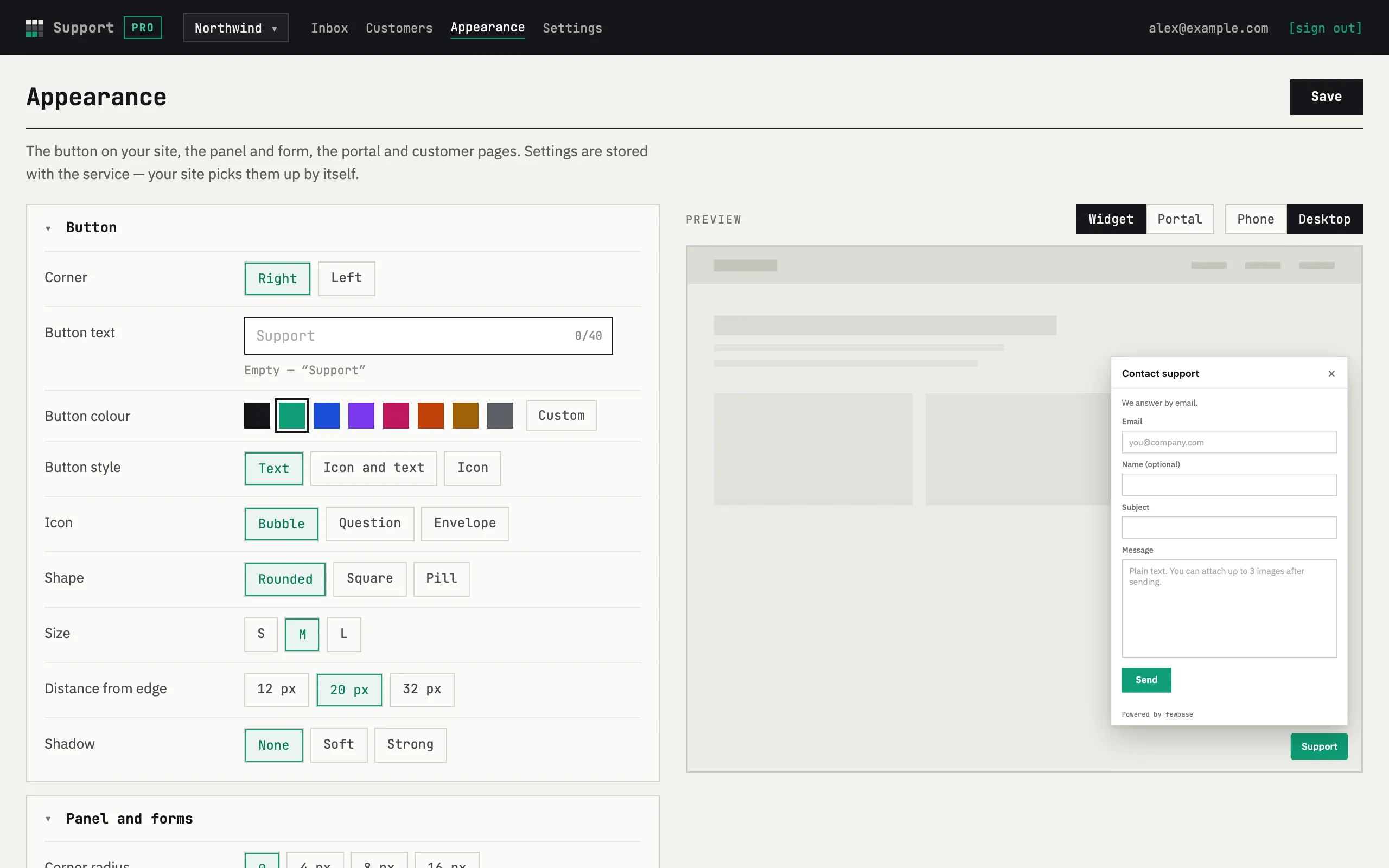
Make it look like your site
Button, panel, form and portal are set in Appearance, with a live preview before you save.
Free: corner, button text and colour, form fields, language. Pro: shape, size, icon, shadow, theme, corners, accent, your own button — and the “Powered by fewbase” line can go.
Pricing
One fewbase plan covers every tool. The numbers below are what Support gets on each.
Free
- 30 new requests a month
- 1 service
- 1 seat — just you
- Corner, text and colour of the button
fewbase Pro
- 500 new requests a month
- 5 services
- 3 seats per service, you included
- Full Appearance; hide “Powered by fewbase”
fewbase Business
- 3000 new requests a month
- 20 services
- 10 seats per service, you included
- Full Appearance; hide “Powered by fewbase”
Paid plans are compared on fewbase.com/pricing. Replying is never limited — only new requests are counted.
FAQ
What does my customer see?
A short form with your service name, then a confirmation email with one button. After that every reply arrives by email from “<your service> via fewbase”, with a personal link to their requests — no account and no password on their side. On Free the portal carries a small “Powered by fewbase” line.
Can customers attach screenshots?
Yes — up to 3 images per message, 5 MB each: PNG, JPEG, WebP or GIF. They show as previews in the thread, on your side and theirs, and are served only through Support, with the customer's link or your session.
Can I invite my team?
On Pro, 3 people per service including you; on Business, 10 — a pending invitation holds a seat too. Invite agents by email from Settings: they answer requests and see customers; Settings and Appearance stay with the owner. Free is one seat — just you.
Can I match the widget to my site?
Yes — in Appearance, with a live preview. Every plan sets the button corner, text and colour, the form fields, the form language, hiding the button on phones and opening the panel by a #support link. Pro and Business add button style, icon, shape, size, offset and shadow, rounded corners, light, dark or system theme, accent colour, form title and subtitle, panel size, your own button instead of the floating one, and hiding the “Powered by fewbase” line. Settings live with the service, so the code on your site never changes. Emails still come from “<your service> via fewbase”.
Is there a limit on requests?
New requests per month: 30 on Free, 500 on Pro, 3000 on Business. At the limit the form stops taking new requests until the next month; existing threads keep working and you can still reply — replies and customers are never counted. Against spam: email confirmation, at most 3 unconfirmed requests per address in your service (5 across all services) within 24 hours, and a Turnstile check on the form.
Where is the data, and what about GDPR?
Requests and customers are stored in a Cloudflare D1 database, images in Cloudflare R2, emails go out via the fewbase platform. Only you and your team see your service; a customer sees only their own requests by their link. Deleting the service removes everything in it at once; per-customer deletion is a request to us for now.
Start free
Create a service, paste one line, and the next “quick question” arrives with a number instead of in your personal mail.