 Subscriptions Tracker
Stop being surprised by subscription charges
A subscription tracker that shows every recurring payment, its next charge date and what your month actually costs in your own currency — and reminds you before the money leaves.
Works with Claude and ChatGPT: ask your AI assistant what will be charged this month or to add a new subscription. How to connect
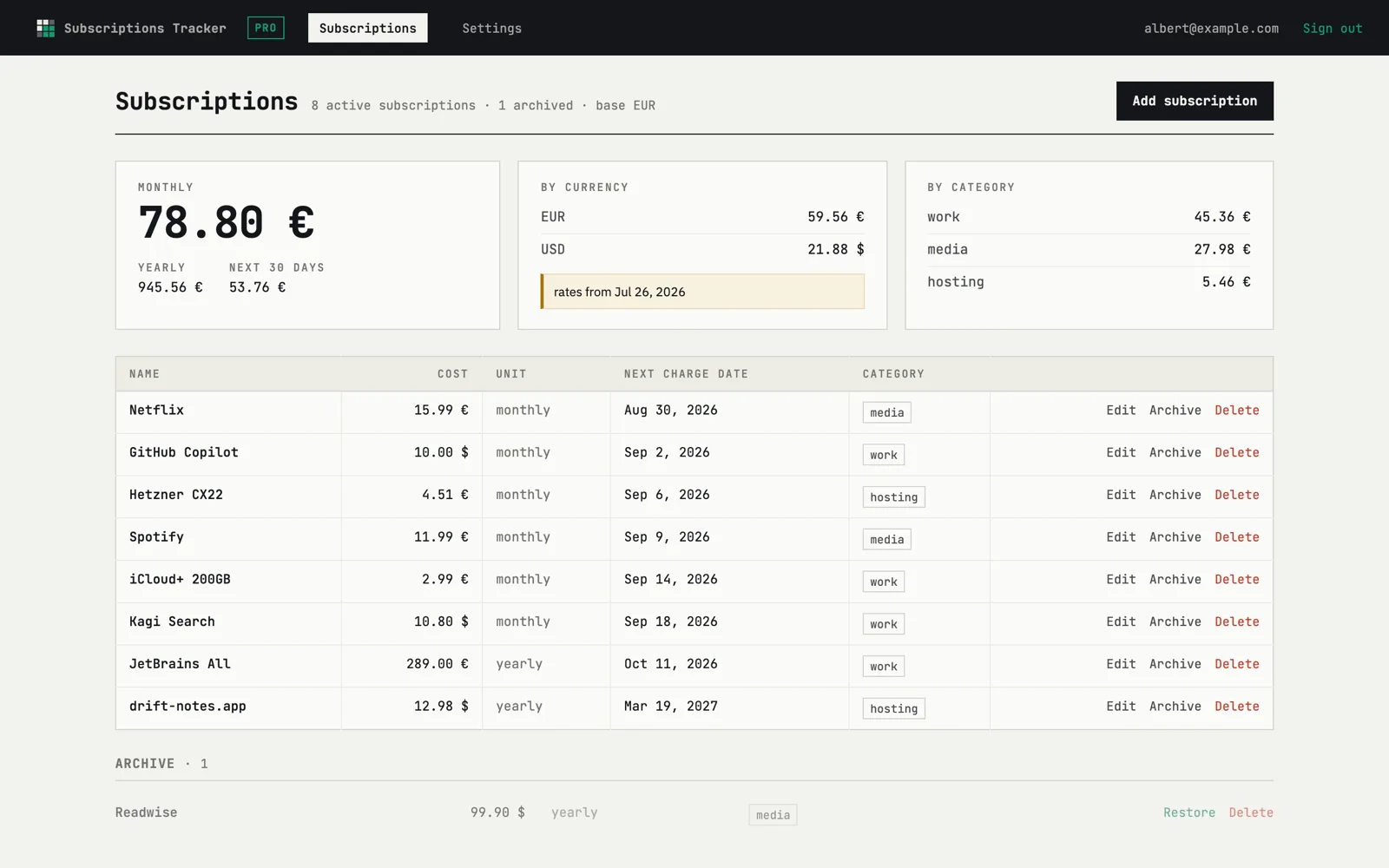
Every subscription and its next charge, in one list
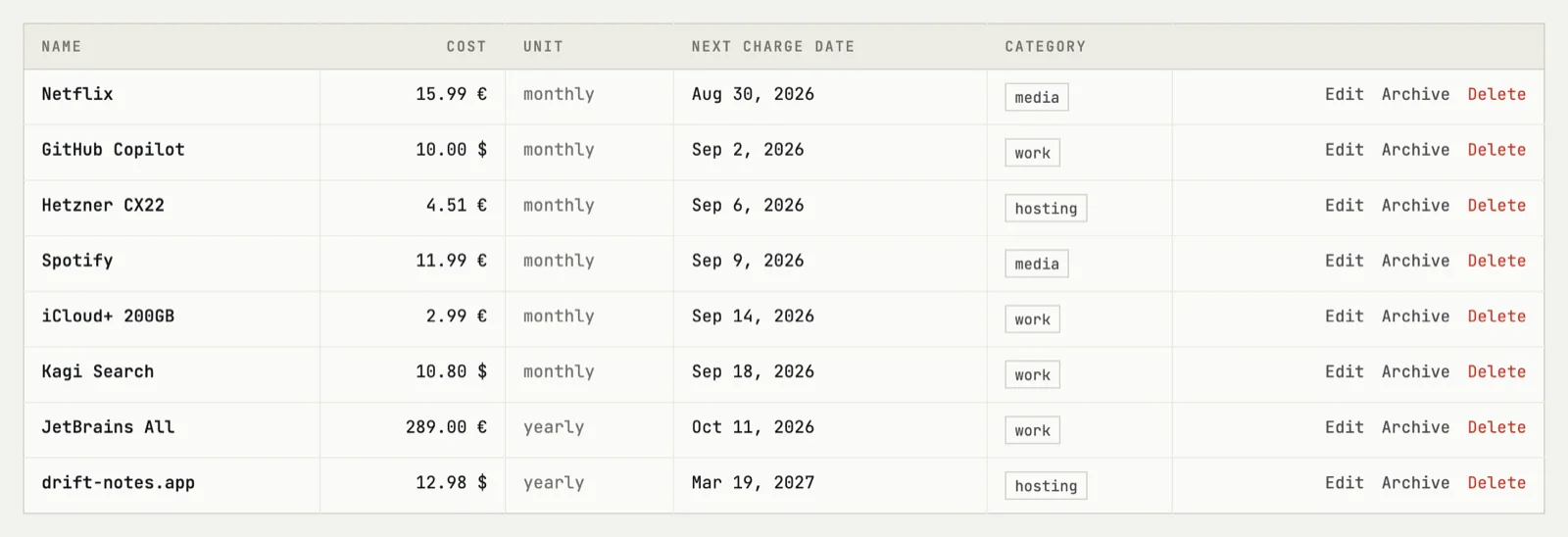
Card statements tell you what already happened. This list tells you what is about to. Each row holds the service, the amount, the billing period and the date of the next charge — sorted by what comes first.
- Monthly, yearly and custom periods in one place
- Every 2 weeks, every 3 months — any period a service can invent
- Cancelled ones archived, not deleted — the history stays
The real price of your month
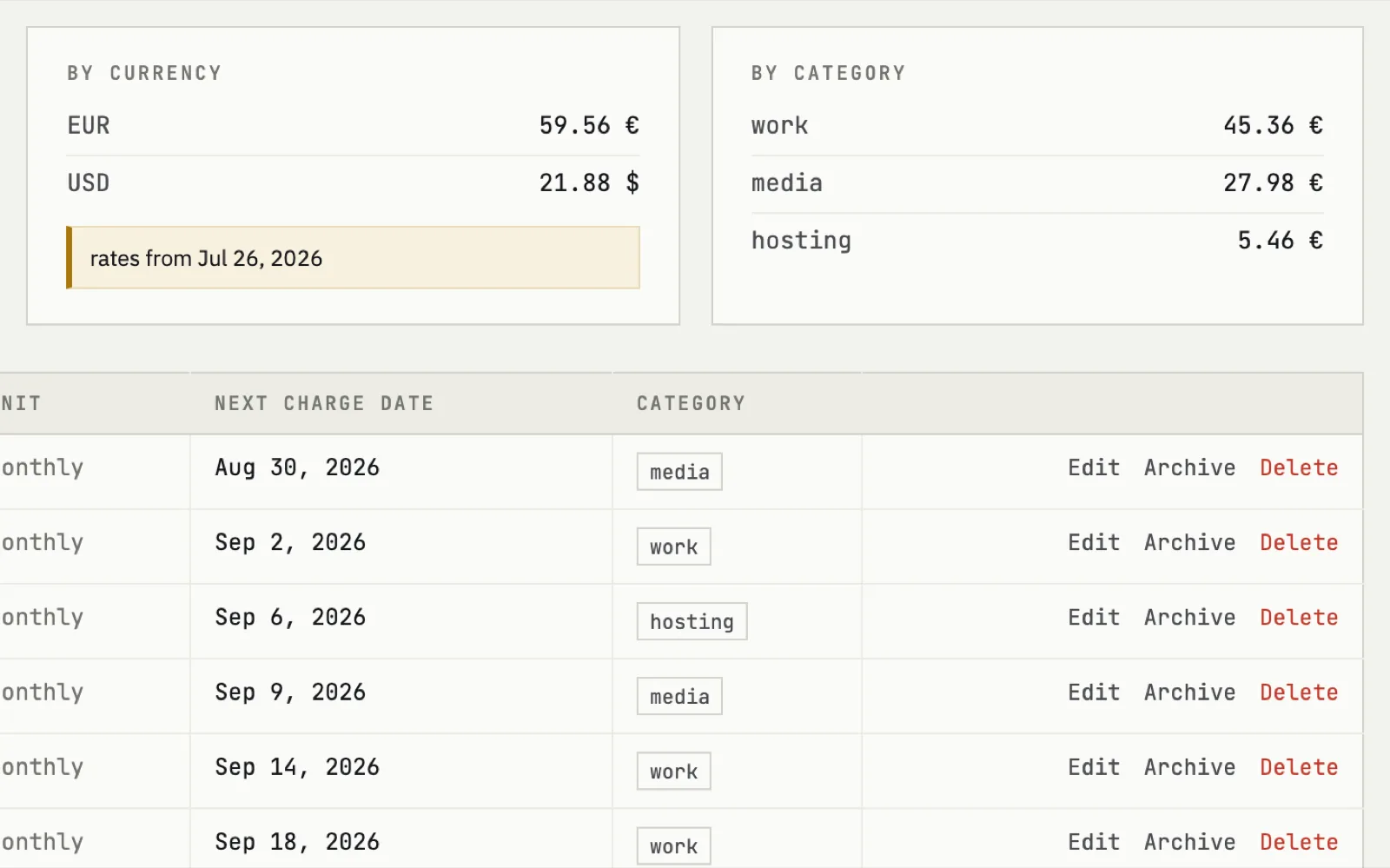
Subscriptions arrive in dollars, euros and whatever your hosting bills in. Set a base currency and every amount is converted into it, so the monthly figure is one number instead of five. Yearly plans are spread across months, not dumped on the month they land.
- Mixed currencies converted to your base one
- Breakdown by category — work, hosting, media
- Forecast of what will be charged in the next 30 days
A recurring payments reminder before the charge
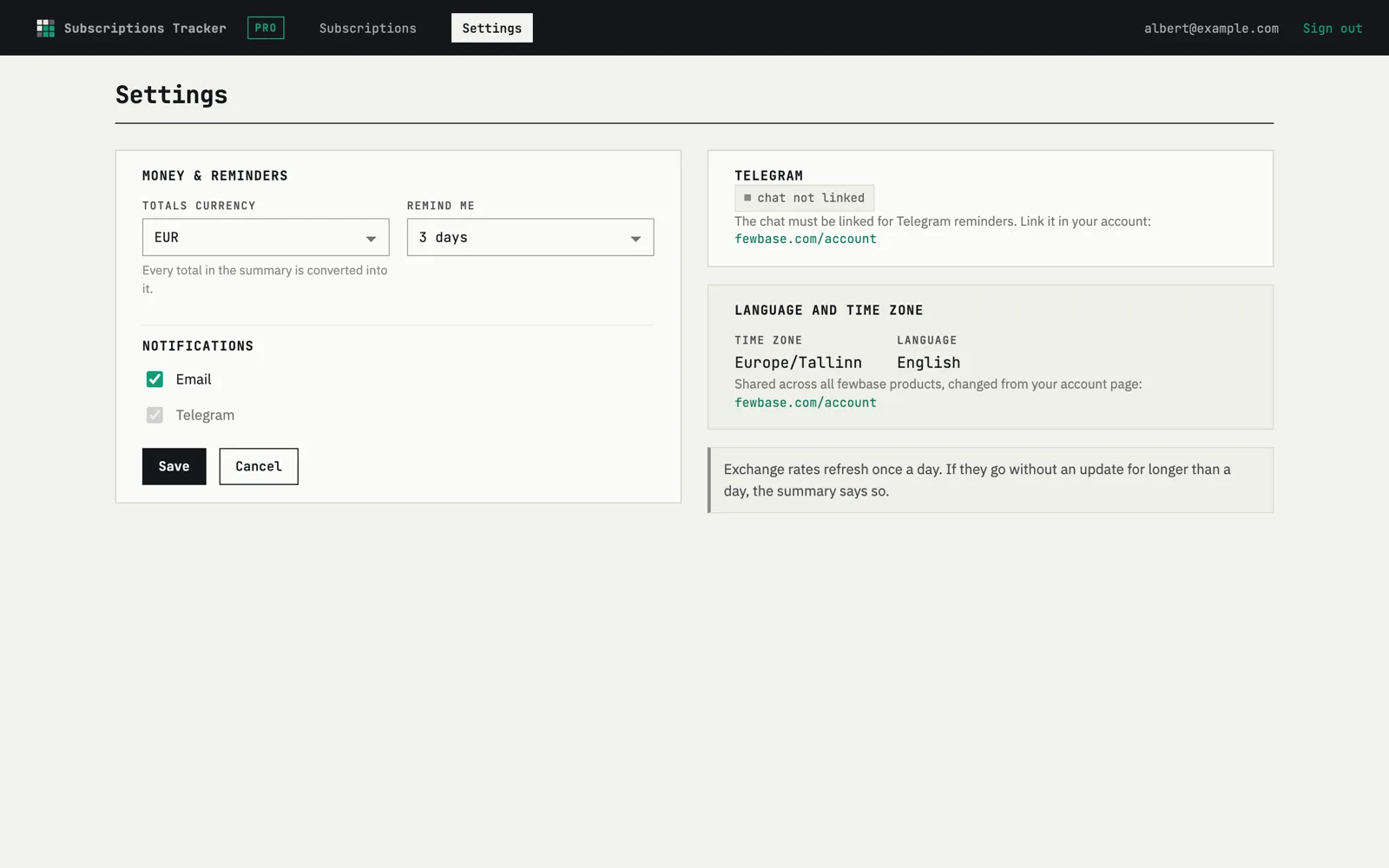
Choose how many days ahead you want to hear about a charge, and where — email or Telegram. That is the window in which cancelling still saves money, instead of the day after when it only saves next year's.
- Lead time in days — one setting, applies to every subscription
- Email or Telegram, sent once a day
- Either channel can be switched off on its own
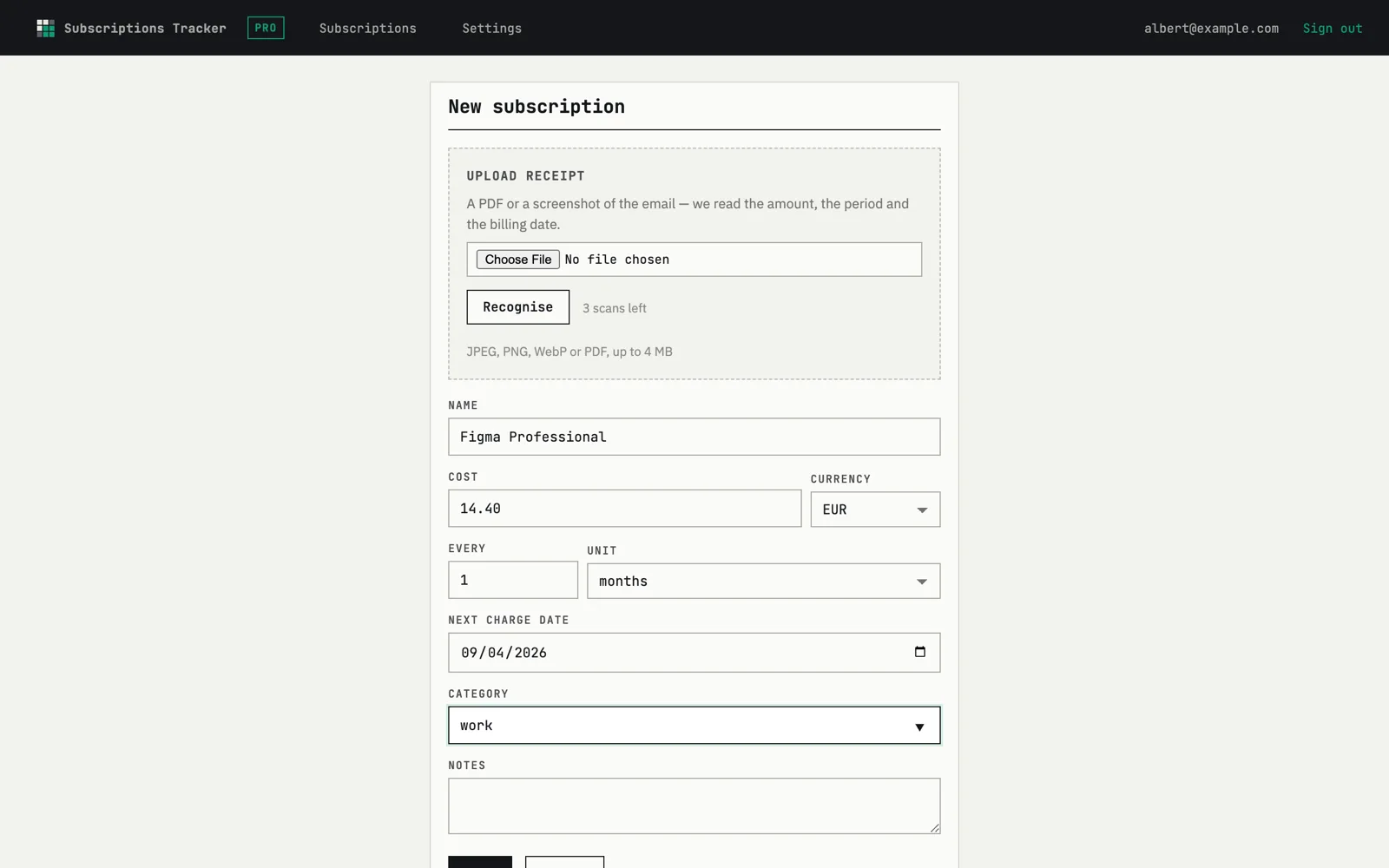
Add a subscription from its receipt
Typing in twenty subscriptions is the reason most people never finish. Upload the receipt — a screenshot or the PDF the service emailed you — and the form comes back filled: service, amount, currency, period, next charge. You check it and save.
- Screenshot or PDF, one file at a time
- Every field stays editable before saving
- Runs on credits — one recognition, one credit
How it works
Add your subscriptions
By hand, or by uploading a receipt and letting the form fill itself.
Set your base currency
Everything is converted into it, so the monthly total is one honest number.
Pick where reminders arrive
Email or Telegram, a few days before the charge. Then forget about it.
Pricing
3 subscriptions free, forever. Buy once for €9 or subscribe to all of fewbase. Receipt recognition is paid per use.
Free
- 3 subscriptions, 3 receipt scans included
- Reminders by email or Telegram
- Monthly total, breakdown and 30-day forecast
fewbase Pro
- Unlimited subscriptions
- Pro in every other fewbase tool, same subscription
Receipt recognition credits
One credit per recognised receipt. The first 3 are free and never expire; after that, packs of 10 are bought in your account and spent whenever you upload.
FAQ
How do reminders arrive?
By email on any plan, and by Telegram once you connect it in your account. You set how many days before the charge the reminder goes out — one setting for all subscriptions — and it is sent once a day.
What about different currencies?
Keep each subscription in the currency it is billed in. You pick one base currency, and totals, breakdowns and the forecast are converted into it.
What does receipt recognition do?
You upload a screenshot or PDF of a receipt; it reads the service, amount, currency, period and next charge date and pre-fills the form. Nothing is saved until you confirm, and every field can be corrected first. The first three recognitions are free and never expire.
Is there a free plan?
Yes — up to 3 subscriptions with reminders, the monthly total and three trial receipt recognitions. No credit card is required to start. Buy once for €9 or subscribe to all of fewbase.
Start free
Add the five subscriptions you can name from memory. The total is usually the argument.