 Consent
A cookie banner that waits for consent.
One line of code. By default, analytics and ads stay off until the visitor says yes, and every choice goes into a log you can export.
<script src="https://fewbase.com/consent/s/…js"></script>
How it works
Add your site
A name and a domain. You get the line of code for this site.
Paste one line
Into the <head>, before other scripts. Changes from the dashboard reach your site within five minutes.
Choose what loads after consent
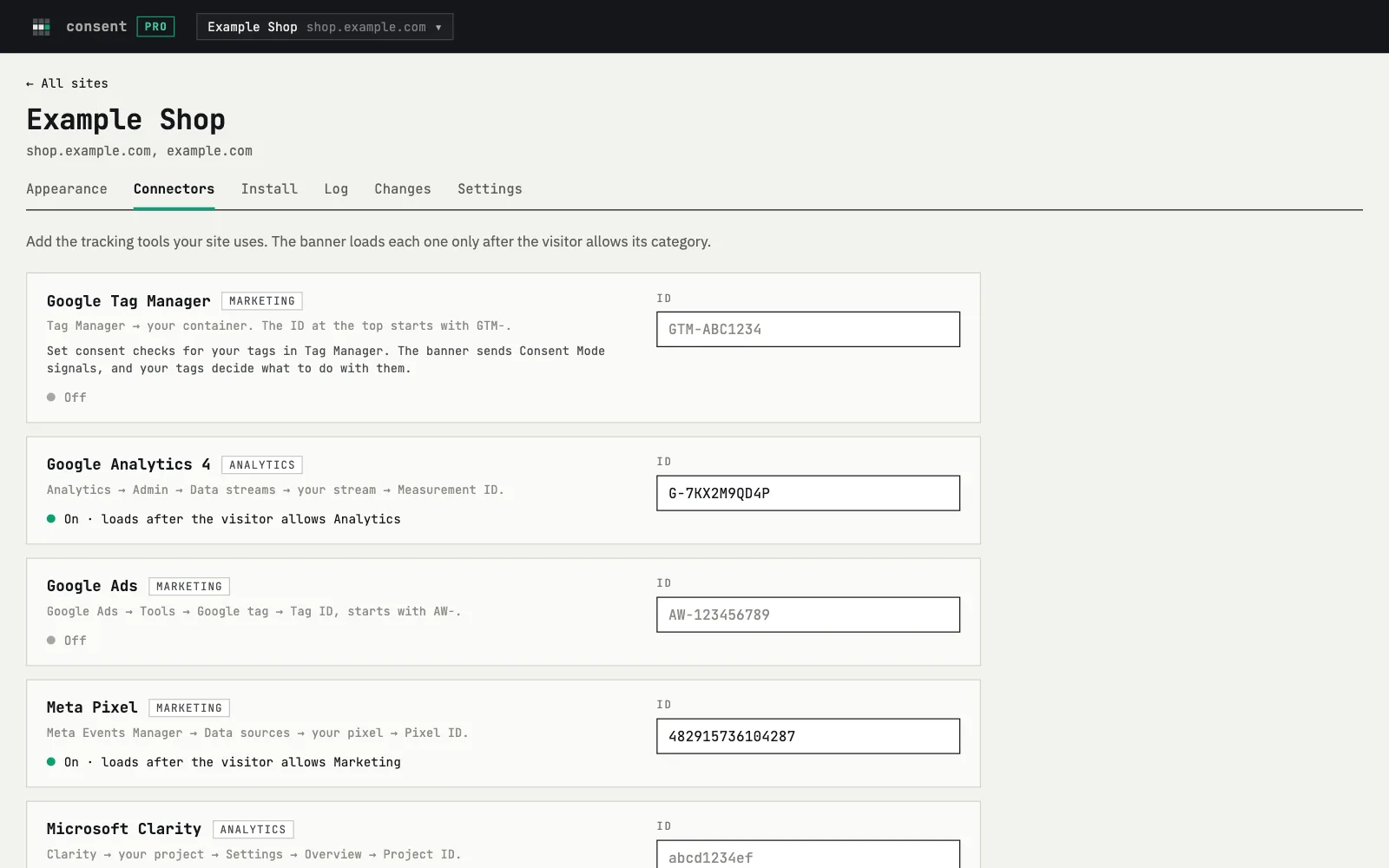
Add your tools by ID, each in a category. They wait for the visitor's choice.
Fair by default
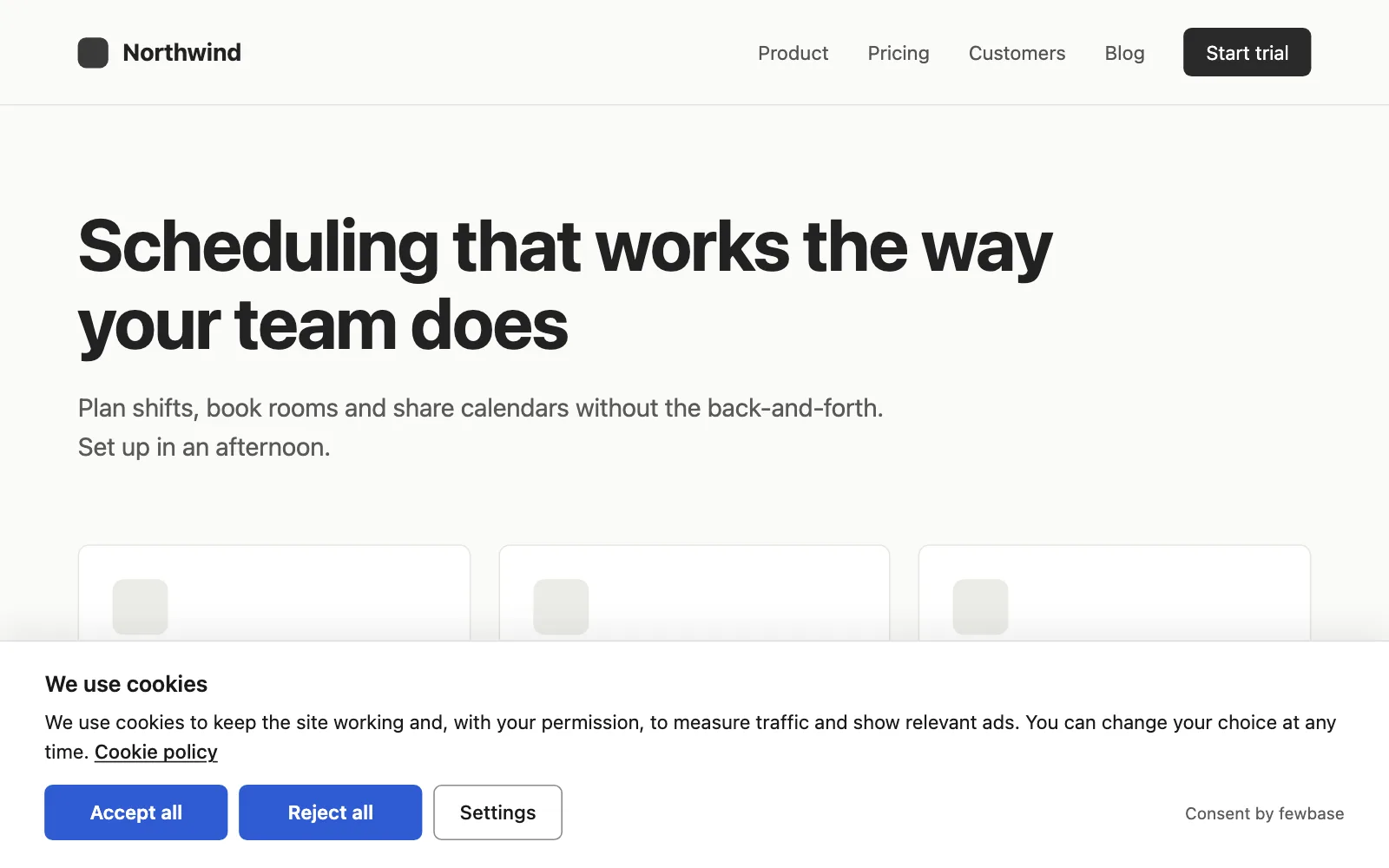
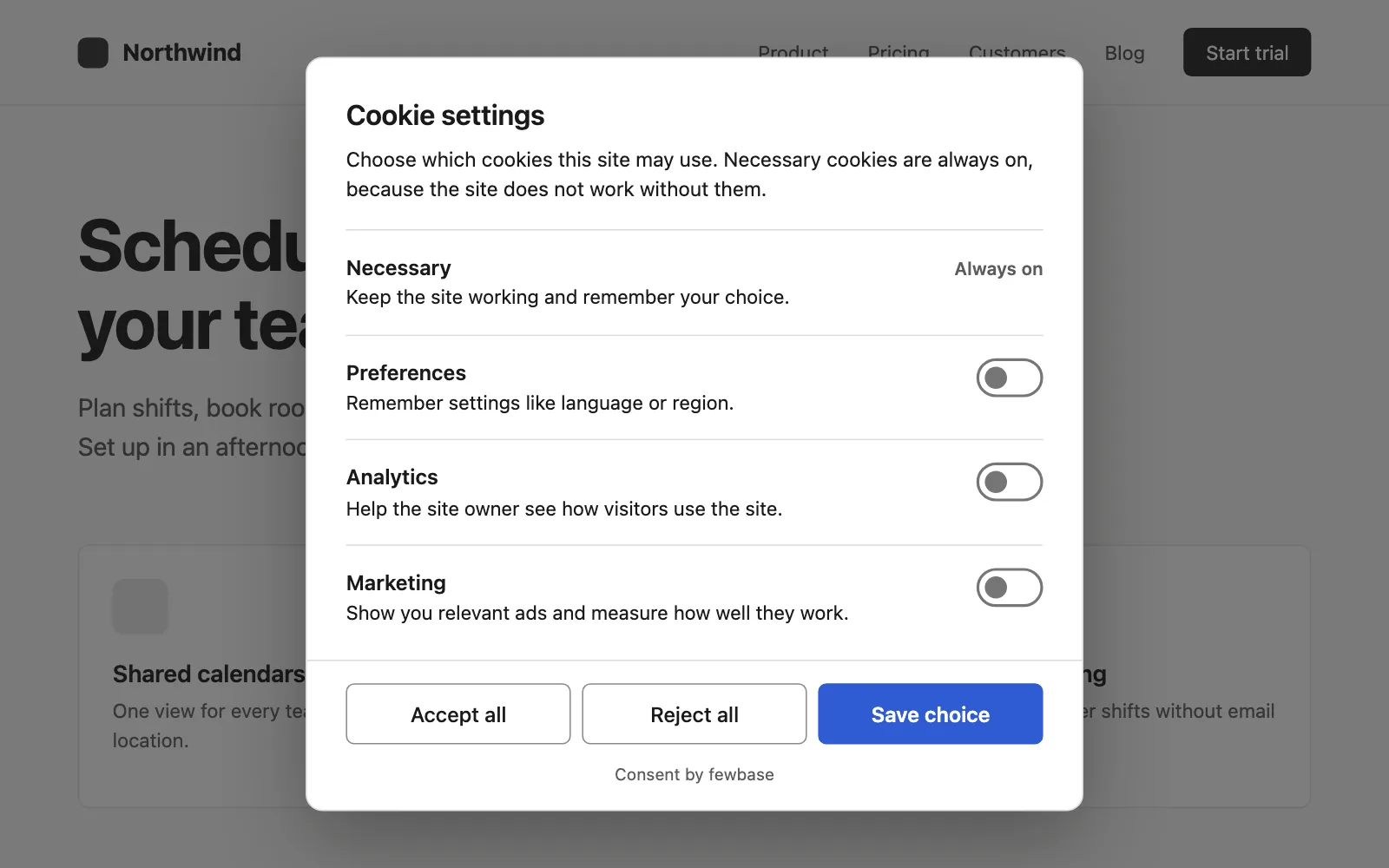
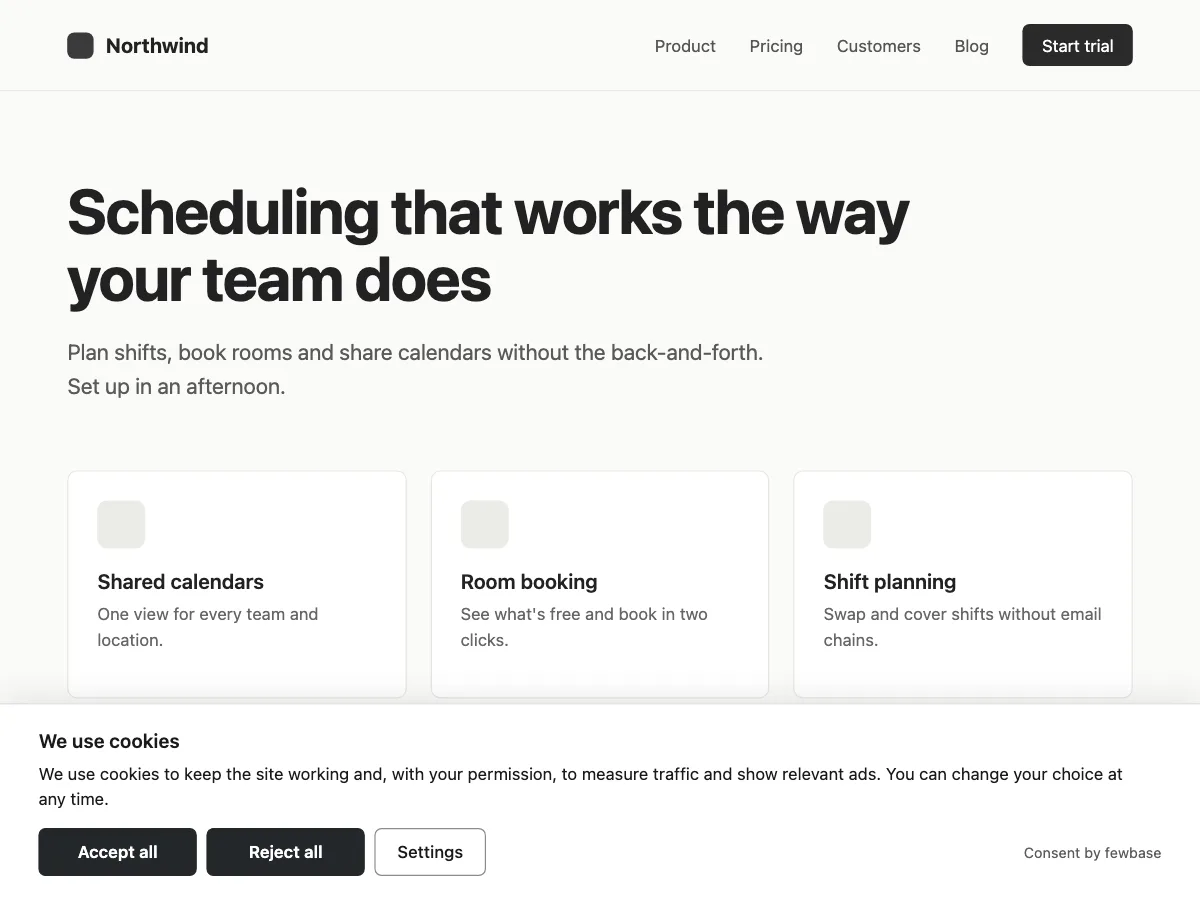
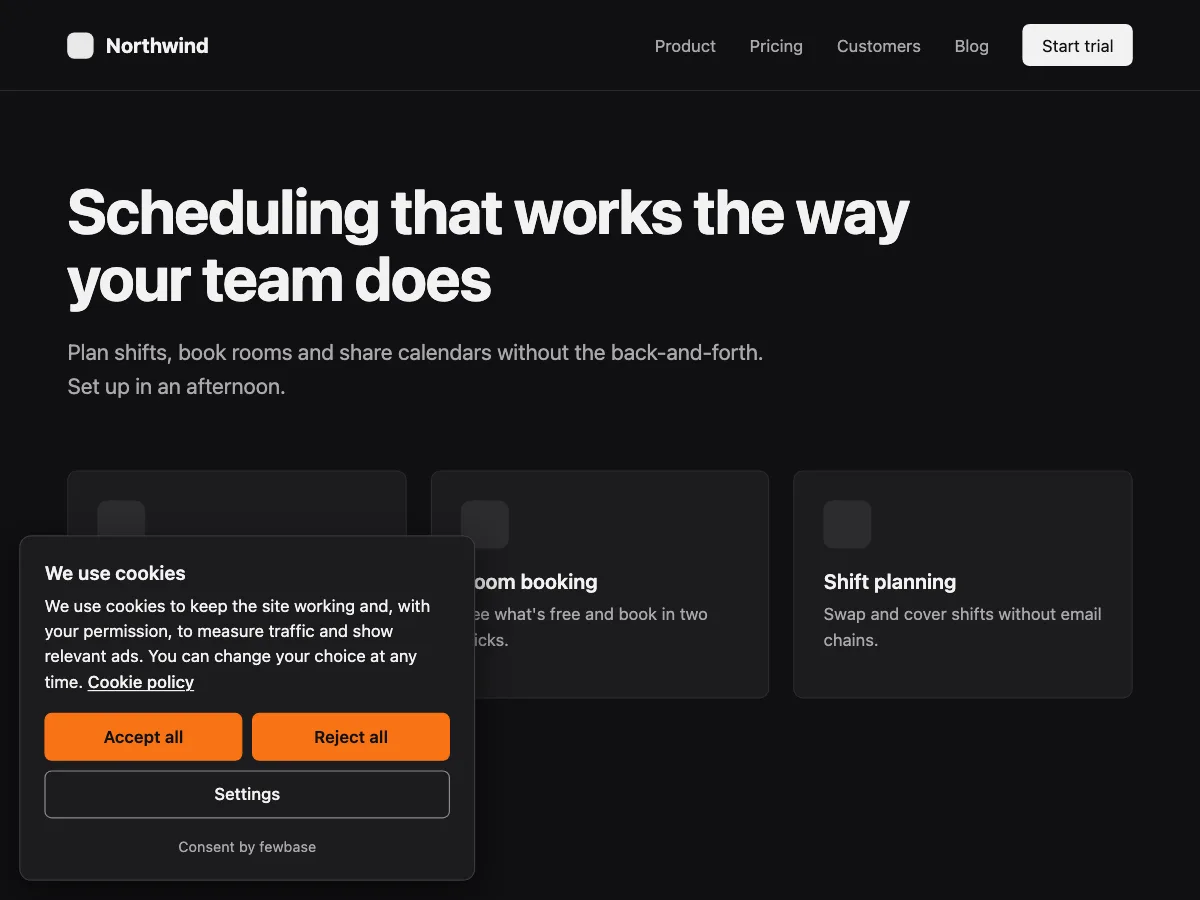
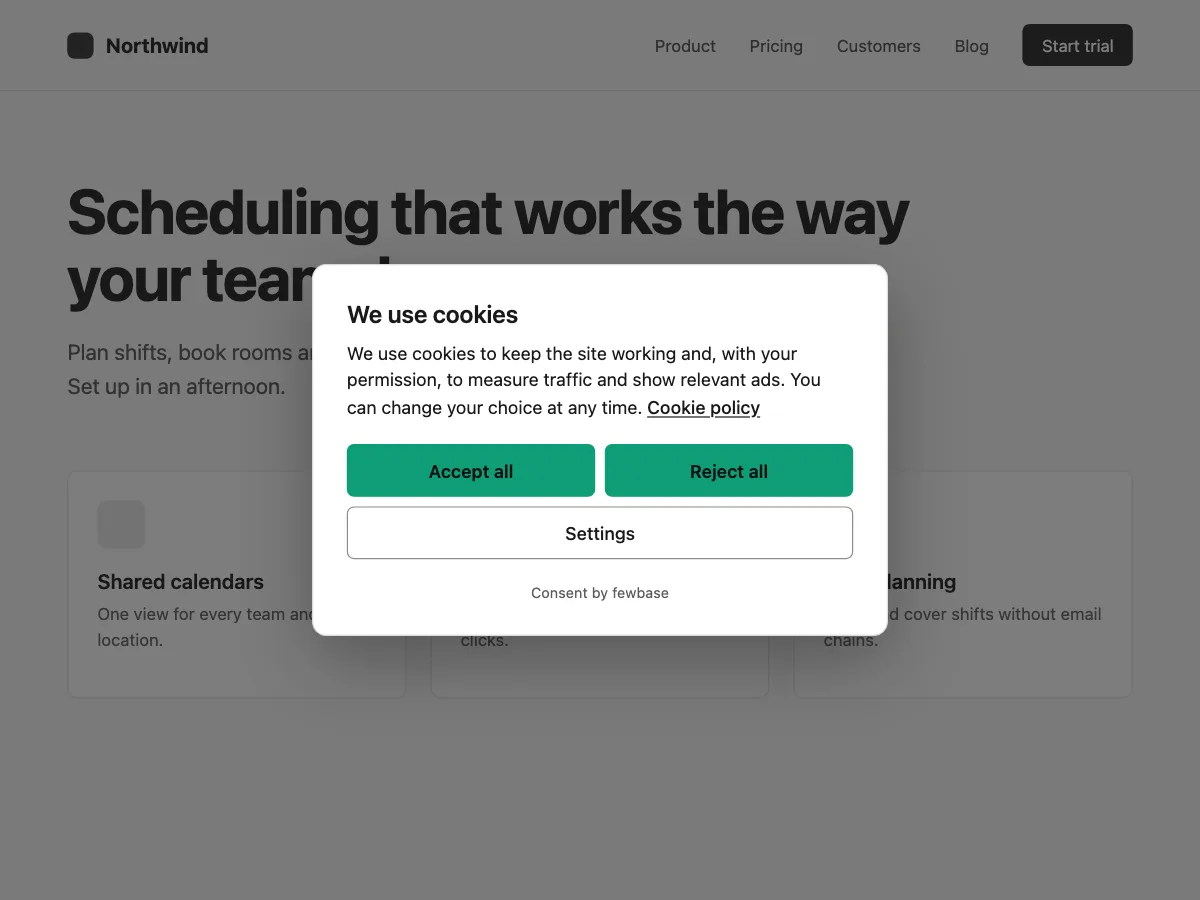
This is what your visitors see. Saying no takes one click, the same as saying yes.
- Accept all and Reject all look the same
- Nothing is switched on in advance
- The banner can't be closed without a choice
Your tools, after consent
Add a tool by its ID in the dashboard, with no change to your site. Meta Pixel, Clarity and your own scripts load only when the visitor agrees to their category. Google tags follow your Consent Mode setting below.
Google Consent Mode v2 is built in. Basic: Google tags load only after a choice. Advanced: they load with consent set to "denied" and update when the visitor chooses.
Tags already in your HTML: type="text/plain" data-category="analytics"
A log you can show
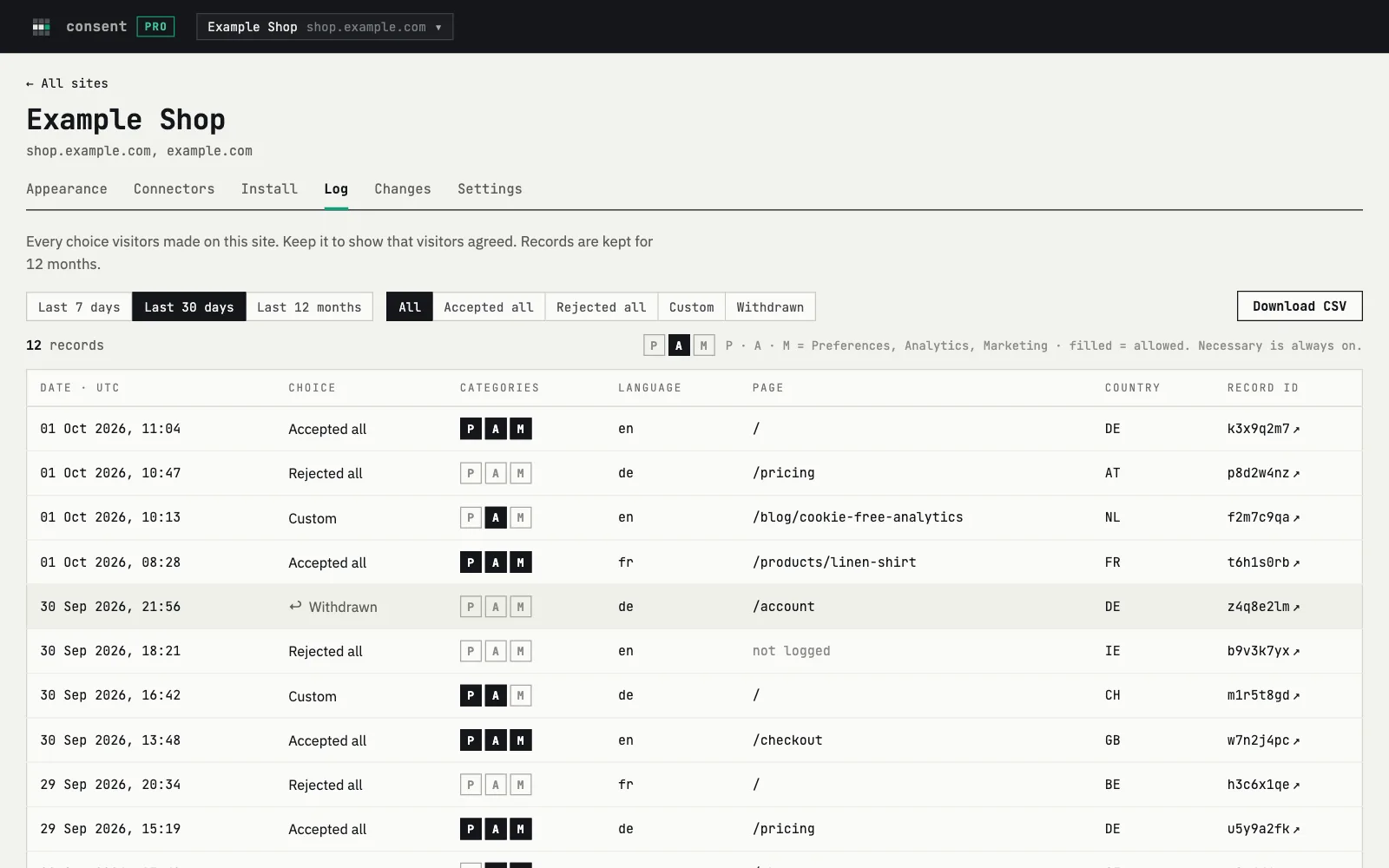
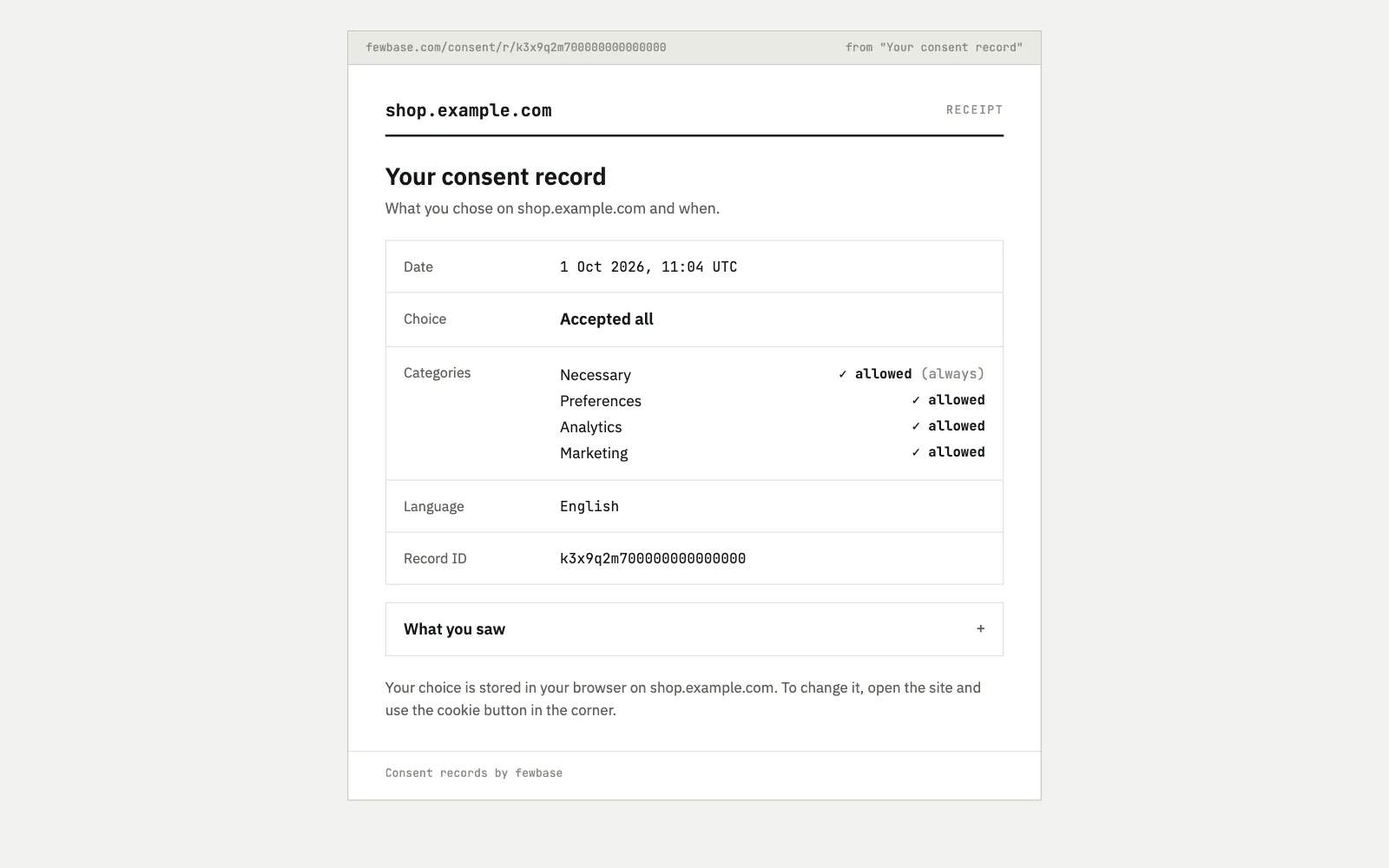
Every choice is recorded with the date, categories, language, page and country. No IP addresses. Each record has a page with the exact text the visitor saw.
Looks like your site
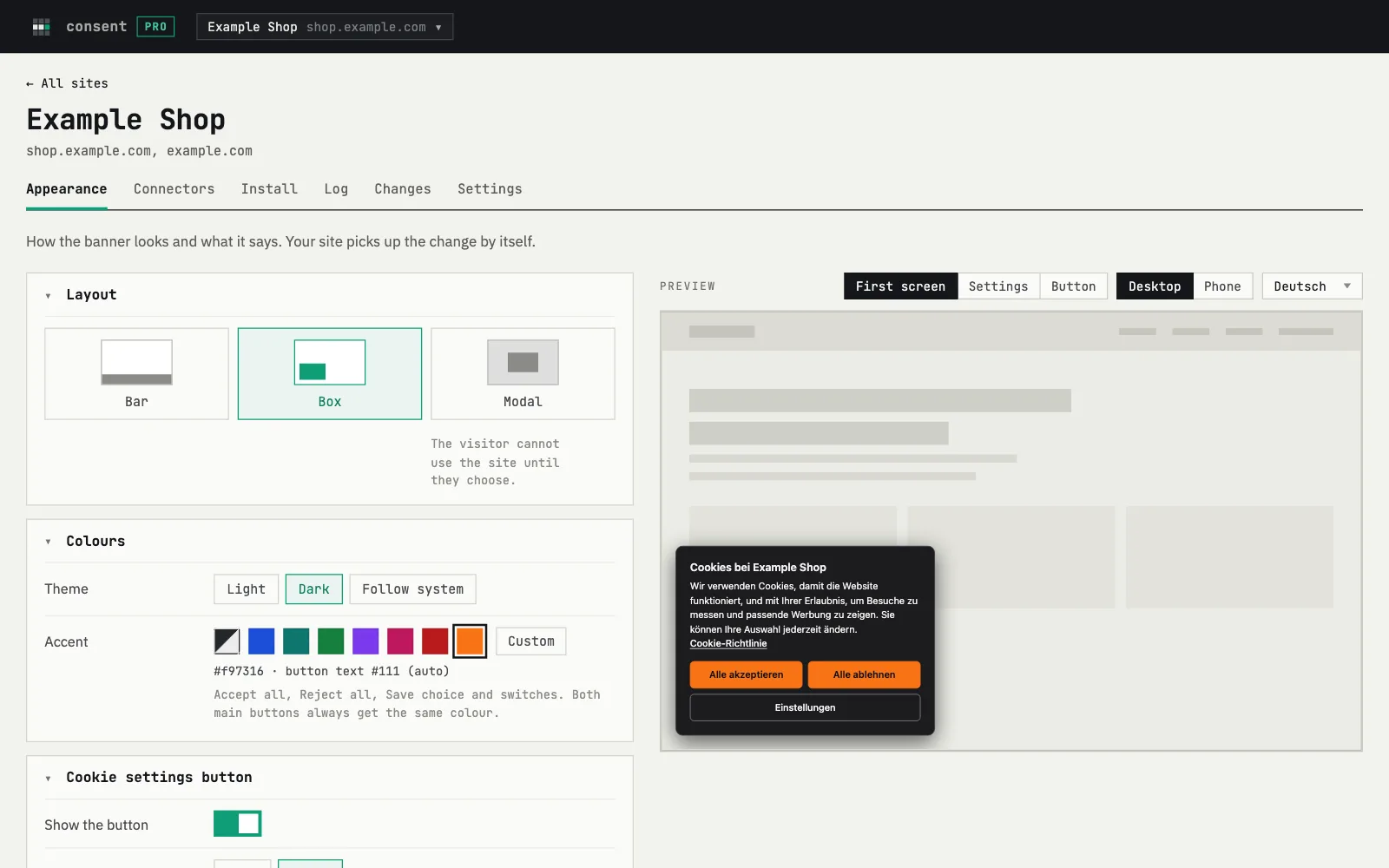
A bar at the bottom, a box in a corner or a window in the centre. Set it up in Appearance and see the banner before you save.
Light, dark or system theme, your accent colour, 26 languages.
On Free the banner has a small "Consent by fewbase" line. On Pro and Business it doesn't.
Pricing
One fewbase plan covers every tool. The numbers below are what Consent gets on each.
Free
- 1 site
- 5,000 consents a month
- "Consent by fewbase" line on the banner
fewbase Pro
- 5 sites
- 100,000 consents a month
- No "Consent by fewbase" line
fewbase Business
- 20 sites
- 1,000,000 consents a month
- No "Consent by fewbase" line
Paid plans are compared on fewbase.com/pricing. Over the limit, the banner keeps working; only the log pauses until the 1st.
FAQ
Does the banner block cookies before consent?
It holds back what you connect: the tools in Connectors, your own scripts, and tags marked with type="text/plain" data-category. They wait for the visitor's choice. Google tags follow your Consent Mode setting. The banner does not scan your site, so a script you didn't connect or mark will still run.
Which languages does it speak?
26: the 24 official EU languages, Russian and Ukrainian. The banner takes the language from the page or the browser. You can edit the texts.
Does it work with Google Consent Mode v2?
Yes, it is built in. Choose Basic, where Google tags load only after a choice, or Advanced, where they load with consent set to "denied" and update after the choice.
What goes into the consent log?
The date, the categories, the language, the page and the country of each choice. No IP address and no browser data. Each record has its own page with the exact text the visitor saw, and you can export any period as CSV.
Can visitors change their mind later?
Yes. After a choice, a small "Cookie settings" button stays in the corner. Visitors can change their choice at any time; when they withdraw consent, the Google, Meta and Clarity cookies are deleted.
What happens when I reach the monthly limit?
The banner keeps working and still holds back scripts until consent. Only the log stops recording new choices until the 1st of next month.
Start free
Add your site, paste one line and choose what loads after consent.