Client details, VAT and archiving in Invoices
Each client is a card of details reused on every document: printed address, document language, currency, payment term and a reverse-charge flag.
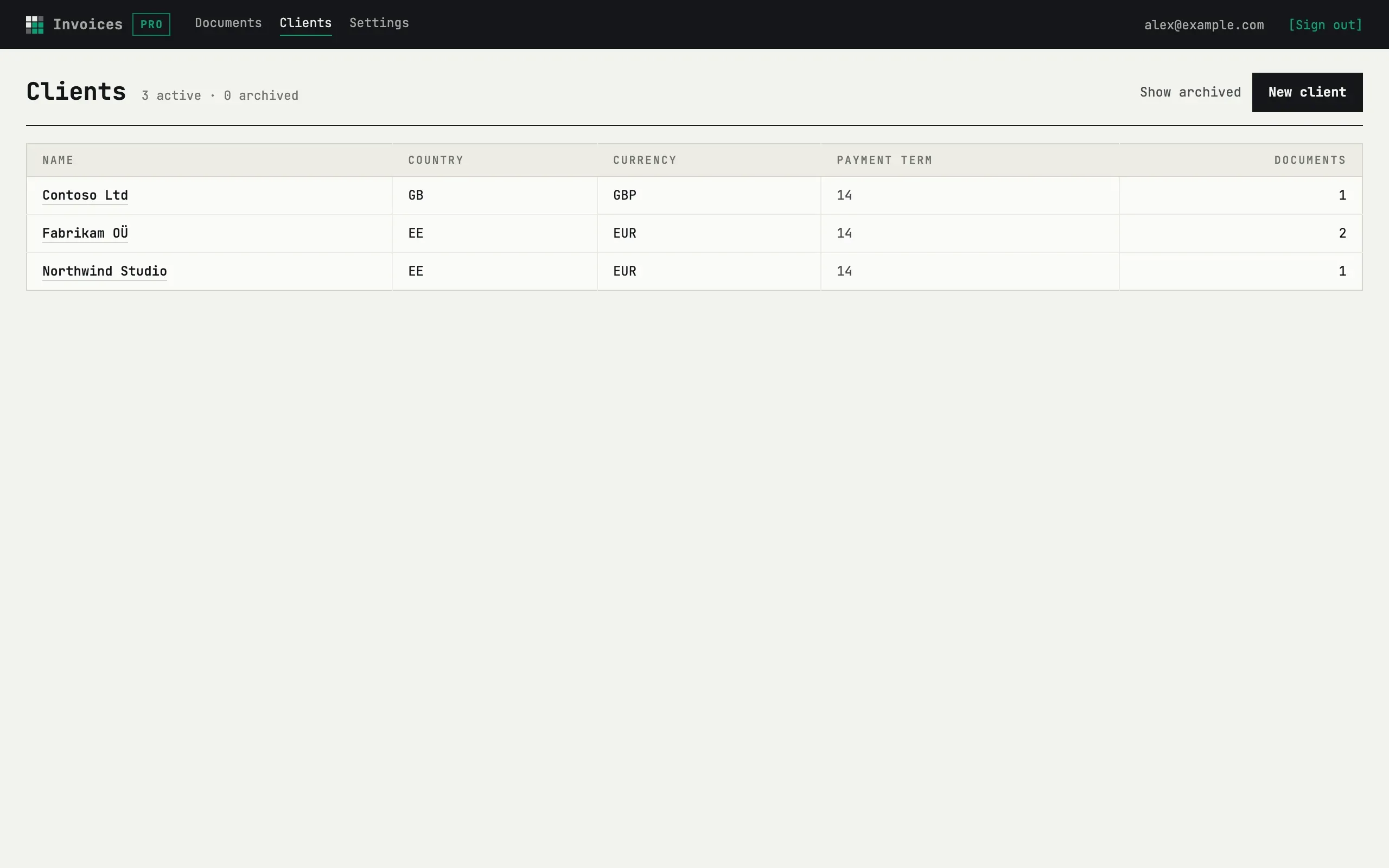
The client card
Section titled “The client card”Name (company or person) and Address, one line per row print exactly as typed in the buyer block of the sheet. Country code (EE, FI, …) and VAT number are optional; Email is required only if you plan to use Send to client — without one, sending is refused. Sheet language, Currency and Payment term, days (0–365) seed new documents for this client; the payment term also shows as a hint on the document’s due date field.
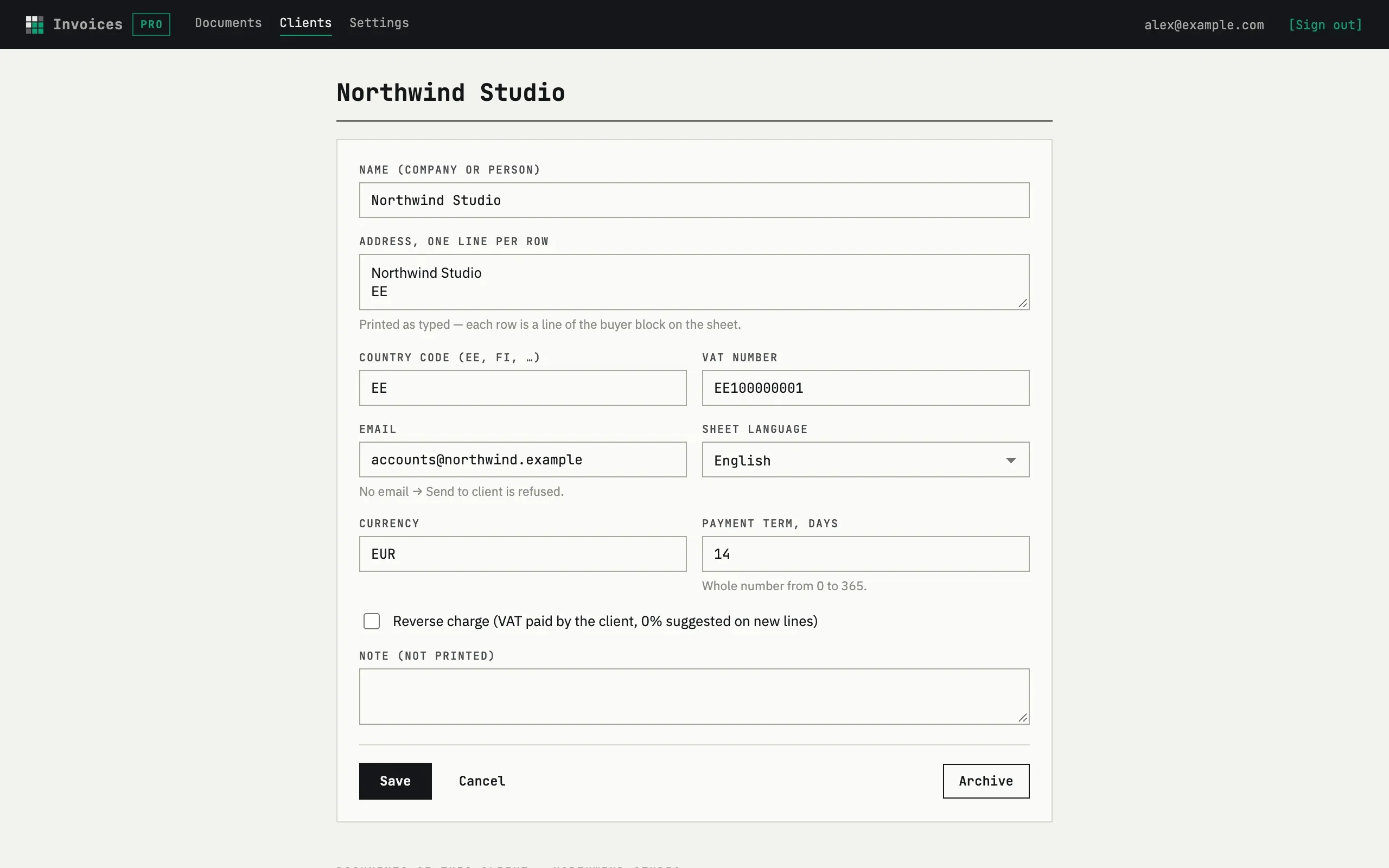
Reverse charge (VAT paid by the client, 0% suggested on new lines) marks the client as VAT-exempt on the sheet; checking it only suggests a 0% rate on new lines you add afterwards — it does not change lines already on a document.
Archive, not delete
Section titled “Archive, not delete”Clients are archived, never deleted: Archive hides a client from the active list, and Show archived brings it back with an Archived tag and a Restore action. A draft that already points to an archived client keeps it, shown as “Name (Archived)”. There is no delete action for a client — one with existing documents could not be removed at the database level anyway.
Can I still edit an archived client?
Yes — restore it first with Restore, or open its card directly and save changes; archiving only hides it from the active list and from the client picker on new documents.