Grouping tasks with projects and tags in Time Recorder
Projects
Section titled “Projects”A project groups tasks under one name; you assign it right in a task’s own form, not on a separate screen. Free accounts can have up to 3 active projects — Pro removes the limit. Archive takes a project out of the task form’s suggestions without touching its tasks or their time; archived projects still show up when filtering reports for past work.
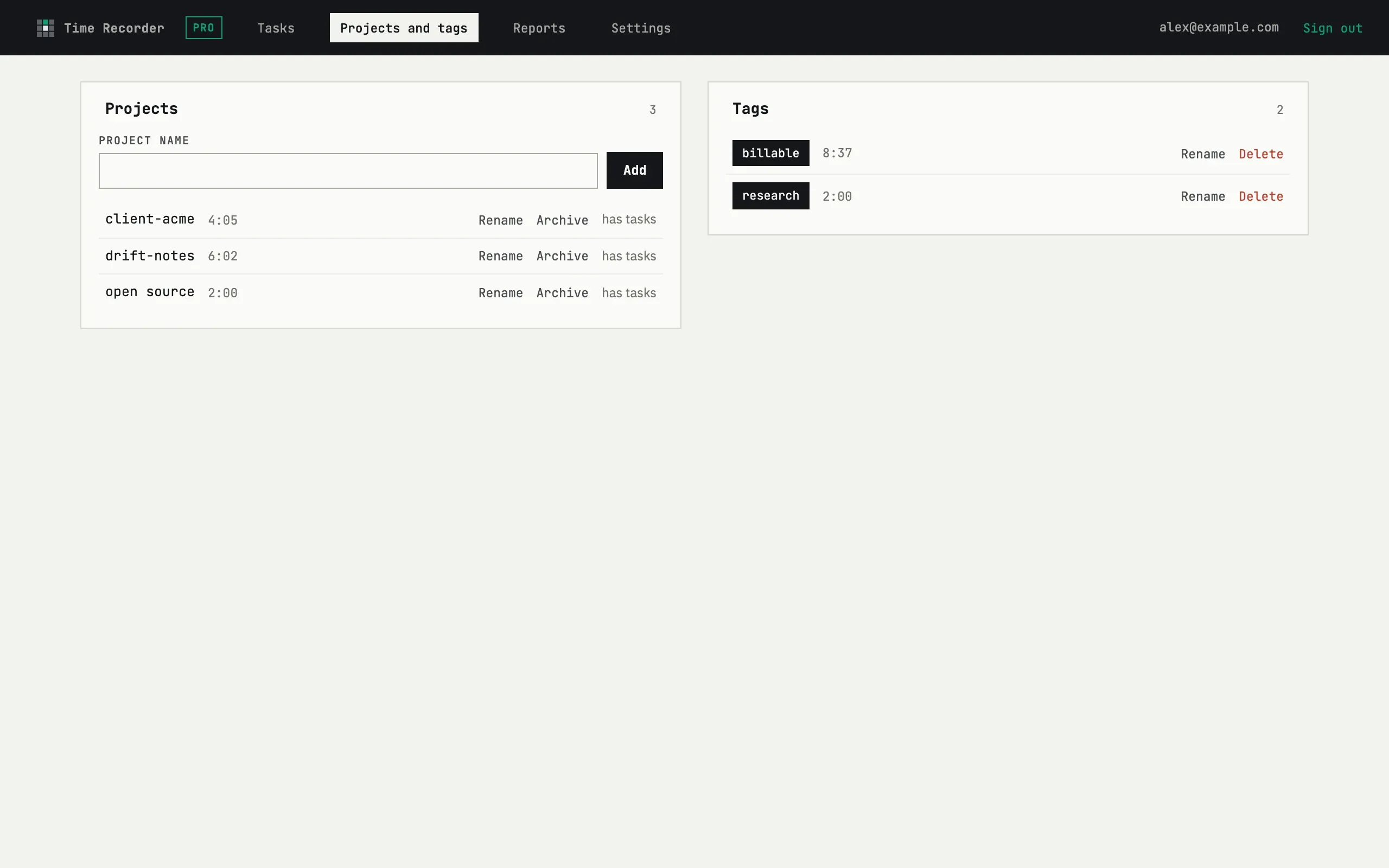
A project can only be Deleted once it is empty — the check counts even soft-deleted tasks, so a project that ever had a task keeps the delete button hidden and shows has tasks in its place instead.
Tags are created inline, in a task’s own edit form, rather than from a separate list — type a new name and it’s added. There’s no limit on how many tags you can have or attach to one task. Rename updates a tag everywhere at once; Delete removes it from every task that carried it, without touching the tasks or their entries.
What happens to entries when I delete a project?
Nothing — because you can’t delete a project that still has tasks, even ones you already deleted. Only a project with no tasks, now or ever, can be removed, so no time entry is ever left pointing at a project that no longer exists. To retire a project with history, archive it instead: it drops out of new-task suggestions but stays selectable in reports.