Tracking next charge dates in Subscriptions Tracker
The Subscriptions page lists every subscription with its cost, billing unit and Next charge date — plus totals for the month, by currency and by category above the table.
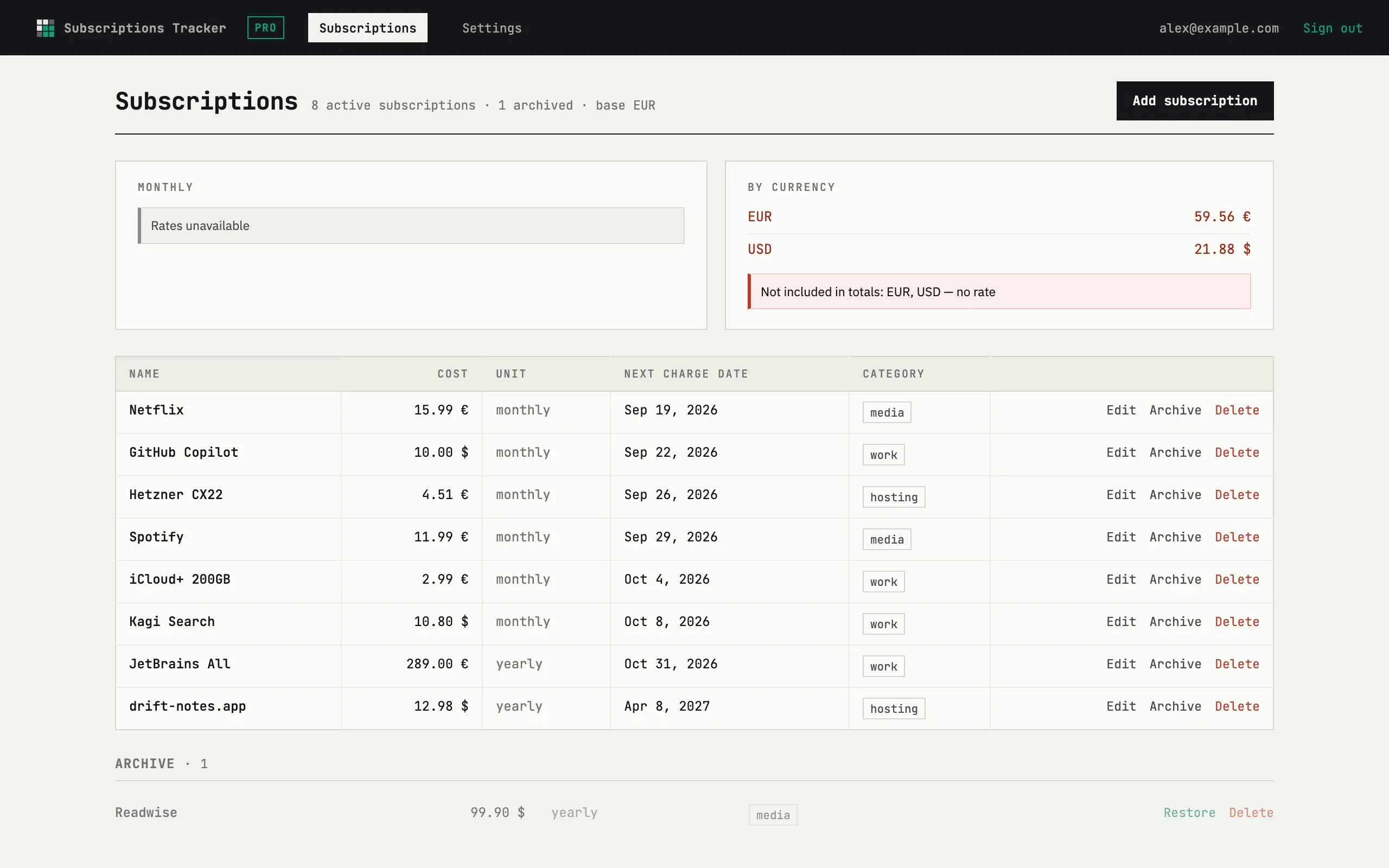
How the next charge date moves
Section titled “How the next charge date moves”Each subscription remembers its billing day (the day of month it first used). After a charge, the date steps forward by the period — monthly, yearly, or a custom multiple of days, weeks, months or years — and lands back on that same billing day. If the target month is shorter (a subscription billed on the 31st going through February), the date is capped to the last day of that month rather than skipped.
Editing
Section titled “Editing”Press Edit on any row to open its form and change the name, cost, currency, period or next charge date.
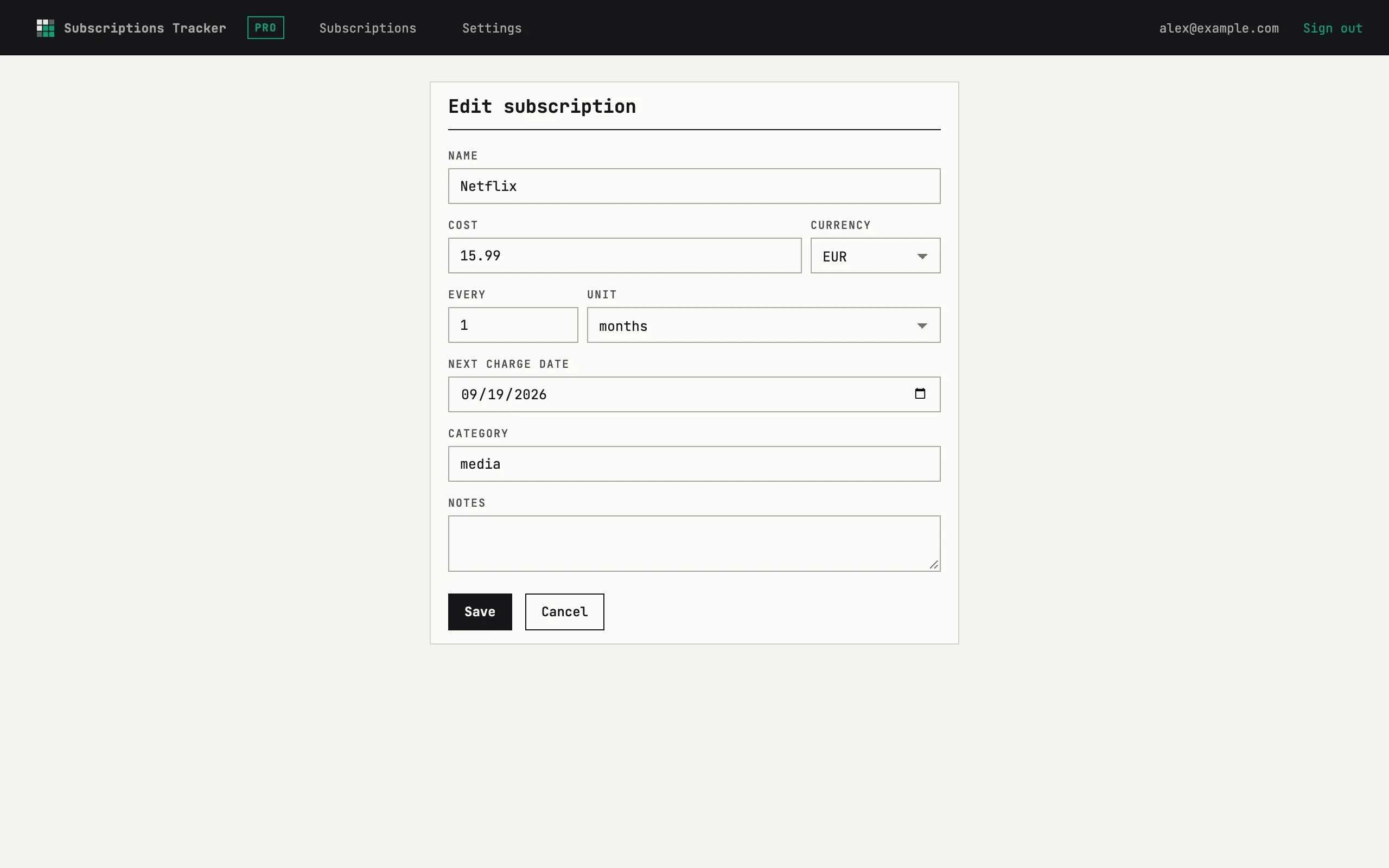
There is no separate details page — Edit is the only way to see or change a subscription’s full record.
Archive, restore, delete
Section titled “Archive, restore, delete”Archive moves a subscription to the Archive section below the list. It stops counting toward the monthly total, the by-currency and by-category breakdowns, and the upcoming-charges forecast, but the row itself is kept. Restore brings it back to the active list and its totals. Delete removes it permanently after a confirmation.
A subscription charged me on a different day
The billing day is fixed to the day it was first set, not to where the date last landed. A subscription billed on the 31st shows the 28th (or 29th) in February, then returns to the 31st in March — that is expected, not drift.