Requests in Support: inbox, thread, statuses and auto-close
A request is one conversation with one customer: a subject, the messages in order, and a status. Requests are numbered per service from 1.
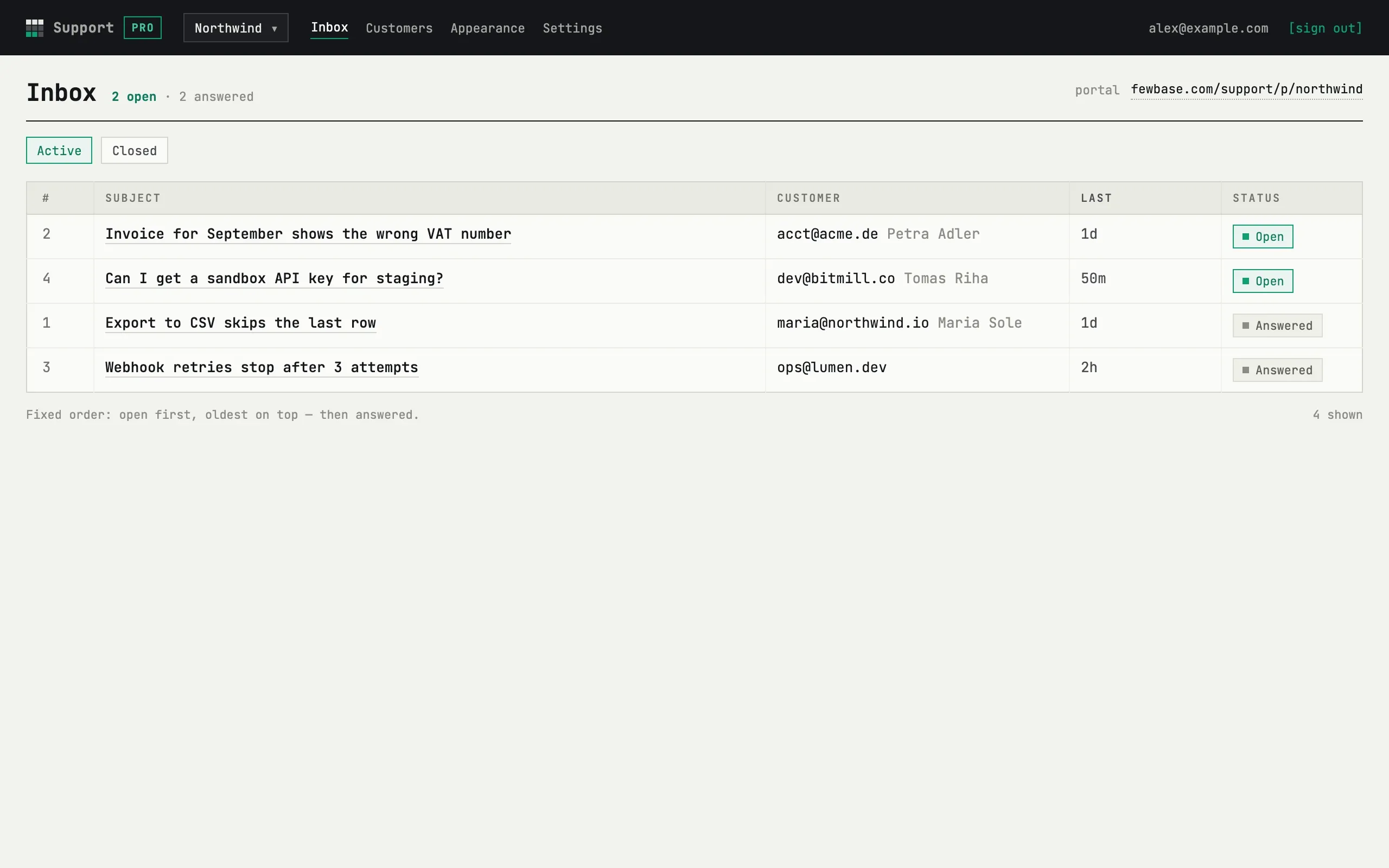
The inbox
Section titled “The inbox”The Active tab lists open and answered requests in a fixed order: open first, oldest on top, then answered. The counters above the tabs show how many of each there are. The Closed tab lists closed requests newest first, with who closed them — agent, customer or automatically — instead of a status column. Each tab shows up to 500 rows.
The portal address is printed in the page header — it is the same link you give to customers.
Statuses
Section titled “Statuses”| Status | Meaning |
|---|---|
| Open | The customer wrote and is waiting for you — a new request, or a customer reply |
| Answered | You replied last; the ball is with the customer |
| Closed | Closed by you, by the customer (“Mark as resolved”), or automatically |
A closed request reopens when the customer replies within 30 days of closing — it becomes Open again and you get an email. After 30 days the thread stays readable for the customer but can no longer be answered; they start a new request instead.
The thread
Section titled “The thread”The thread shows the subject, status, the customer’s email (a link to the
customer card), where the request came from — source: portal, widget or
app — and, for widget requests, the page of your site it was sent from.
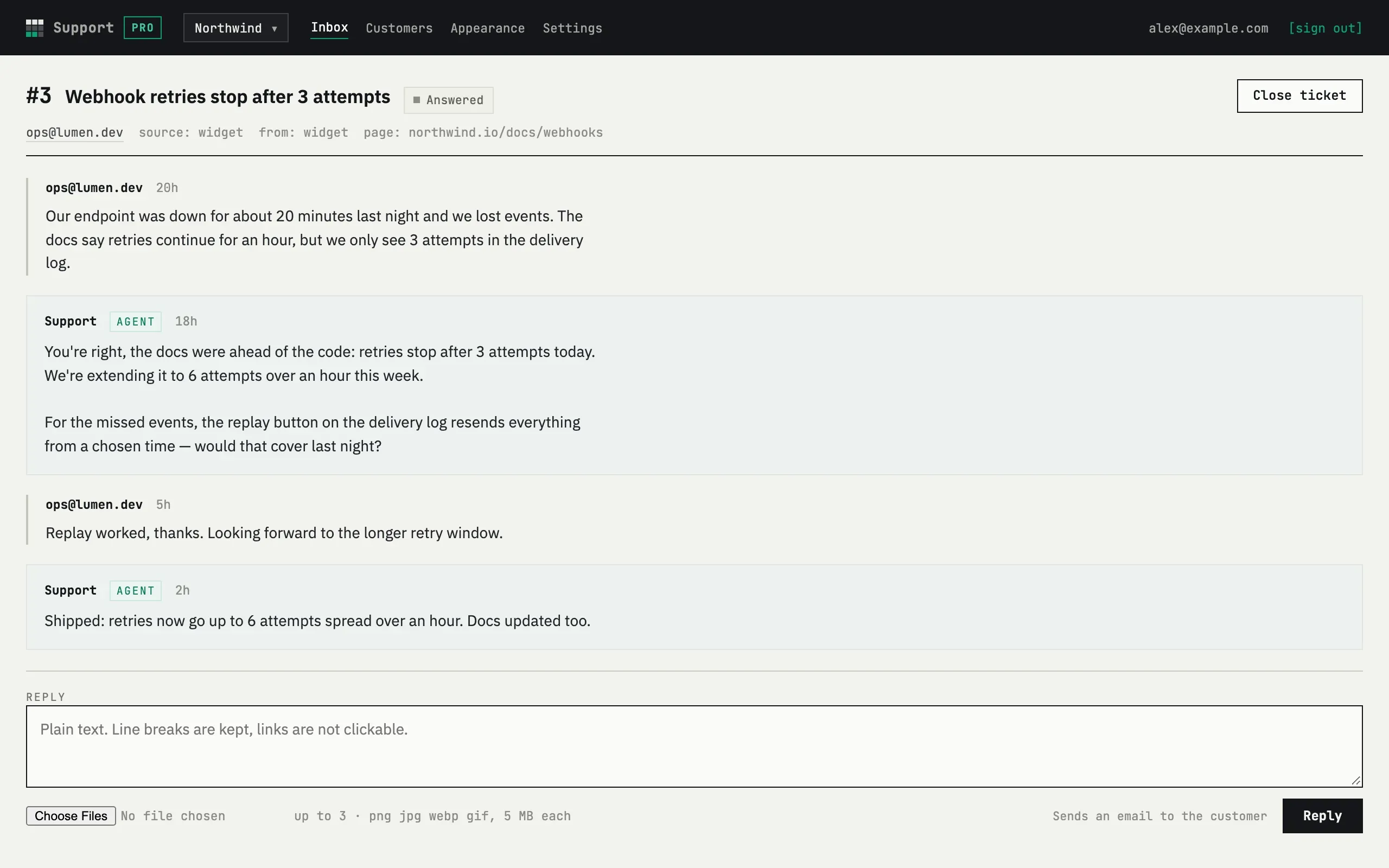
Messages are plain text: line breaks are kept, links are not clickable, and no formatting is applied. A message is up to 10,000 characters.
Replying
Section titled “Replying”Write in the box at the bottom and press Reply. The customer gets an email with the first 300 characters and an Open request button. The request moves to Answered.

You can attach up to 3 images per message — PNG, JPEG, WebP or GIF, 5 MB each. The format is checked by the file’s bytes, not its extension. Images are shown as thumbnails in the thread and open in a new tab; the customer sees them on their thread page, not in the email.
Replying to the notification email itself does not reach the customer — a reply is always written in the thread.
Closing and reopening
Section titled “Closing and reopening”Close ticket closes the request and emails the customer that it is closed and that they have 30 days to reply if the question is not resolved. Reopen on a closed request puts it back to Answered without an email. A customer can also close their own request with Mark as resolved; that sends no email either.
Email not verified
Section titled “Email not verified”When Confirm the sender’s email is off in Settings, a guest request becomes a ticket right away, without confirming the address first. See What your customer sees. Such a ticket carries an “email not verified” label, next to the subject in the inbox and next to the customer’s email in the thread.
The label is removed as soon as the customer takes any action on their personal link in that thread (a reply, or Mark as resolved). Opening the thread without acting does not remove it: a mail scanner can open a link on its own.
Deleting a request
Section titled “Deleting a request”A request with the “email not verified” label can be deleted. The owner or an agent presses Delete in the thread and confirms on the page that follows. Deleting removes the request, its messages and its images for good, and the customer as well if this was their only request. The request’s number is never reused. An unverified request does not count toward the monthly limit, so deleting it changes nothing there. A verified request cannot be deleted: the button is not there.
Auto-close
Section titled “Auto-close”An Answered request that gets no customer reply for the number of days set in Settings — 7, 14 or 30, or never — is closed automatically once a day. The customer gets the same closed email, with a note that it was automatic, and the same 30-day window to reply. Nothing is deleted: auto-close only changes the status.
Can I delete a request?
Only a request with the “email not verified” label. See Deleting a request above. Every other request is kept until the whole service is deleted; close it instead, and it lives in the Closed tab.