Customer support for a small product: when email is enough and what comes next
When email is enough for customer support, the signs you have outgrown it, and what a small product really needs from a ticket system.

When we had one product and a few clients, questions came in wherever they could: Telegram, email, sometimes a private message. Answering was easy. The rest was not:
- Everything was in different places. To see what a client asked a month ago, we first had to remember where they wrote.
- Messages got lost. A Telegram chat scrolls away, an email lands in the Promotions tab, and a week later you are not sure if you replied.
- It was hard for the client too. To ask one question, they had to find a contact, open email or a messenger, and explain who they are and which product they mean.
Big helpdesks solve these problems, but they bring new ones: half a day of setup, accounts for your clients, heavy scripts on your site, and a price for every agent. For a small product that is too much. Here is how we worked out when email is enough and when it is not.
When email is enough
Often it is. If you have one product, a few emails a week and you answer alone, a shared inbox like support@ works fine. Use a separate address, not your personal one, and reply within a day. That is enough.
Signs you have outgrown email
- Questions come to several places: email, a messenger, a form on your site, comments.
- You are not sure whether you answered a certain email.
- You cannot see a client’s history: what they asked before and how it ended.
- Two or three people now answer, and sometimes two of you reply to the same client, or nobody does.
- A client wants to send a screenshot of an error and does not know where.
- The form on your site collects spam.
If two or three of these sound familiar, it is time for a ticket system. But not just any.
What a small product really needs
Big helpdesks do a lot. At the start you need only a few things:
- One place for all questions. It does not matter if the client wrote from your site or from a support page. The request lands in one list.
- A clear status: open, answered, closed. You see at once who is waiting.
- No account for the client. They send a question and get the answers by email. Nobody should sign up just to ask one question.
- Images. One screenshot of an error often says more than a paragraph.
- A form right on your site, so the client does not have to go anywhere. And no heavy scripts that slow the page down.
- Spam protection that you do not have to set up.
- A history for each client, with all their requests in one place.
What you can skip at the start: SLAs and timers, macros, chatbots, a knowledge base, and joining ten channels into one. When you need them, you will know.
How we solved it for ourselves
We built Support, a small ticket system made for exactly this list. It already takes questions on the fewbase pages (the “Support” button in the corner of our landing pages and docs), and also on posthuman.digital and metarchy.space.
All questions in one list
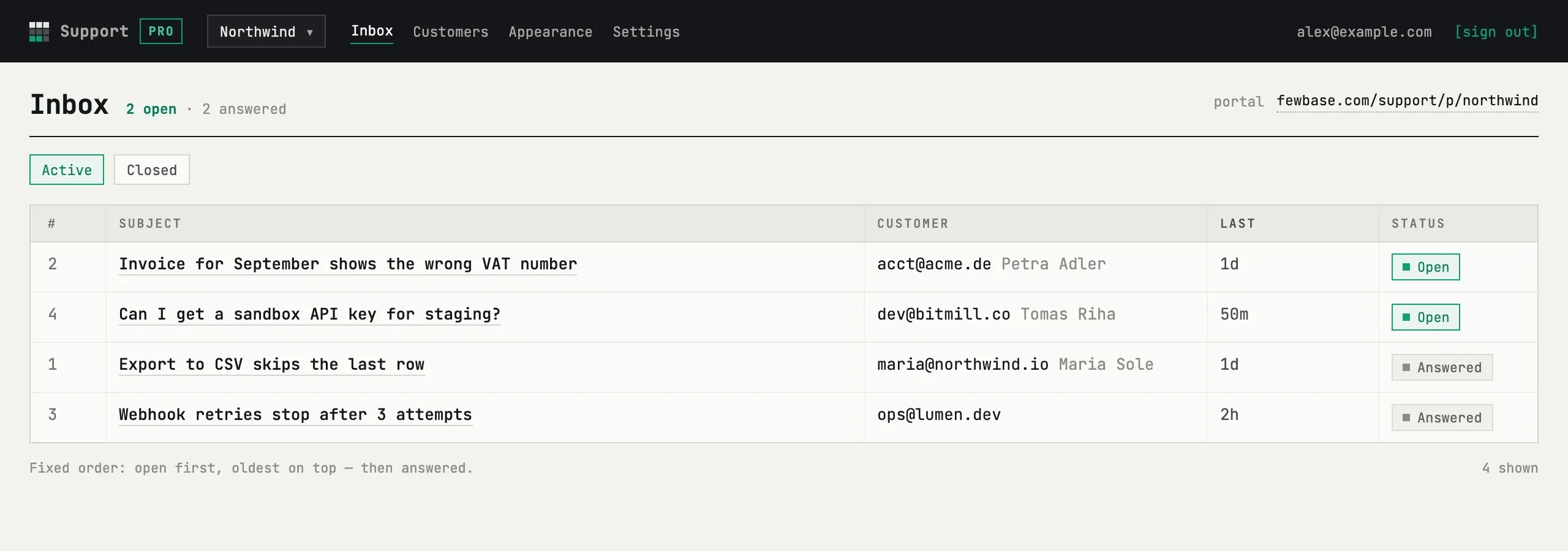
Open requests are at the top, answered ones below. Each request shows the subject, the client, the time of the last message and the status.
You reply in the thread, the client gets an email
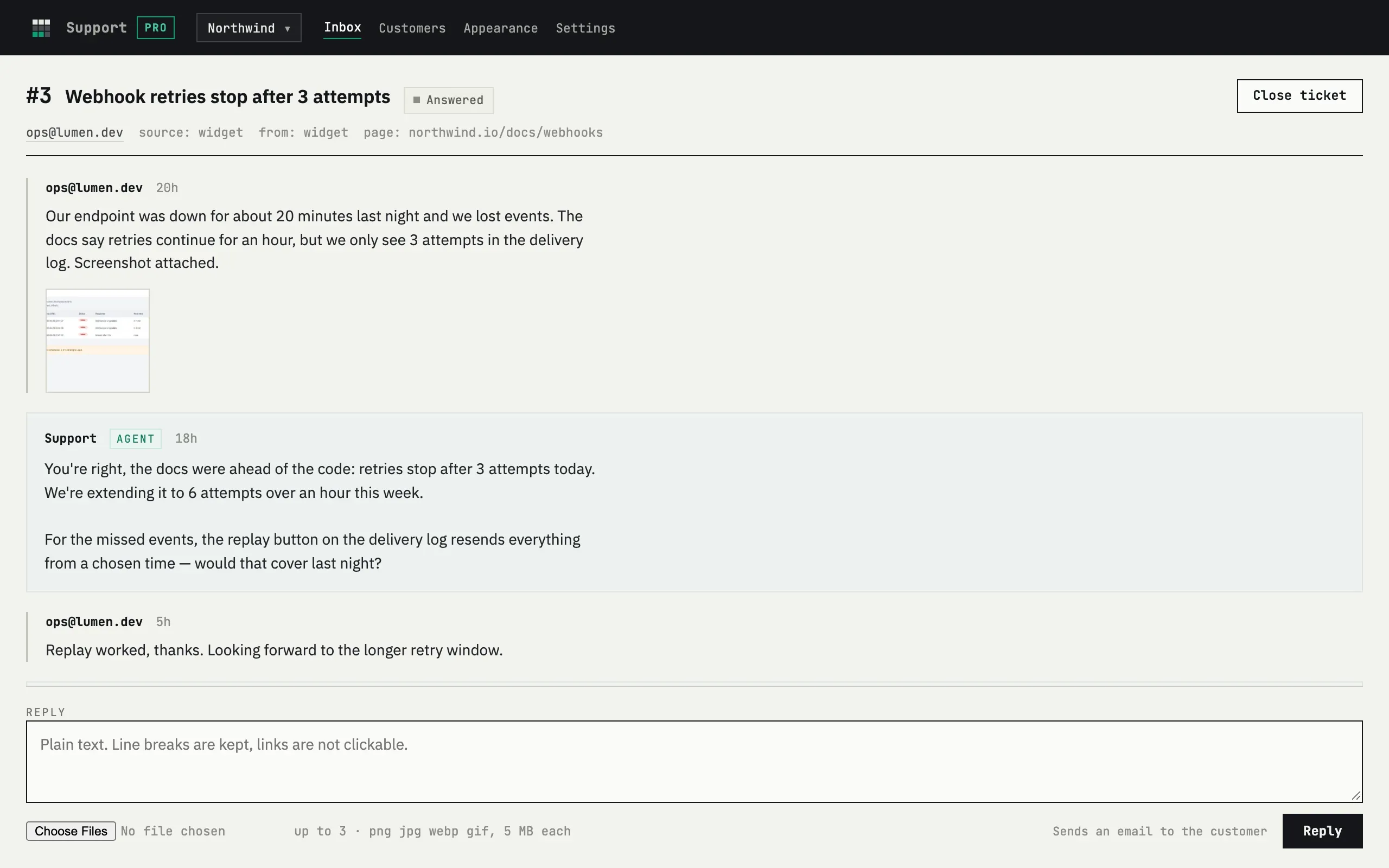
Inside a request you see the whole conversation and a reply form. Every reply goes to the client by email. If the client does not answer for a while, the request closes by itself after the number of days you choose.
The client does not need an account
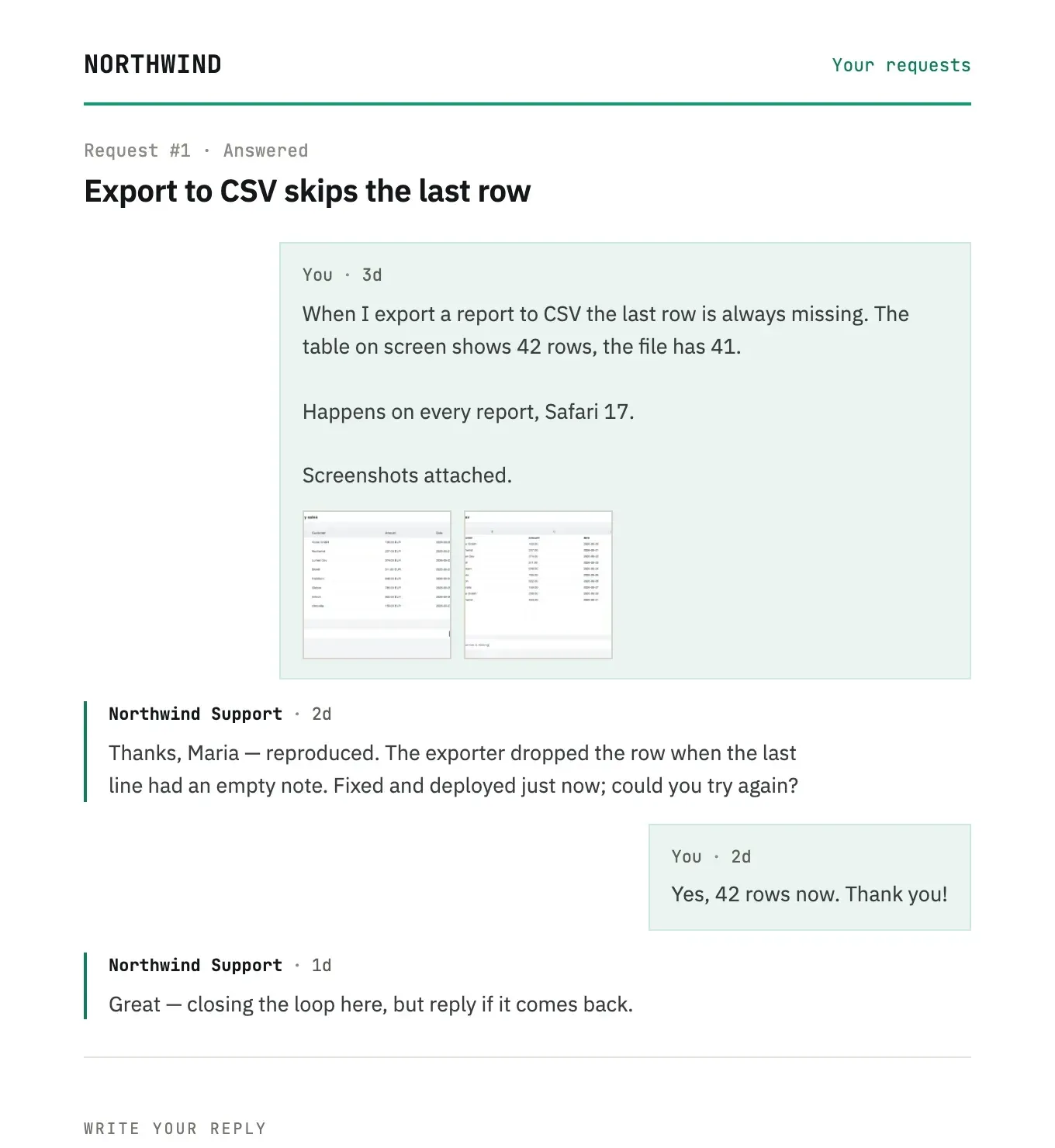
The client opens the conversation with a personal link from the email. They see all the replies, can answer, or mark the question as solved.
Images on both sides
You and your client can attach up to three images to a message: a screenshot of an error, an example, a sketch.
The widget is one line on your site
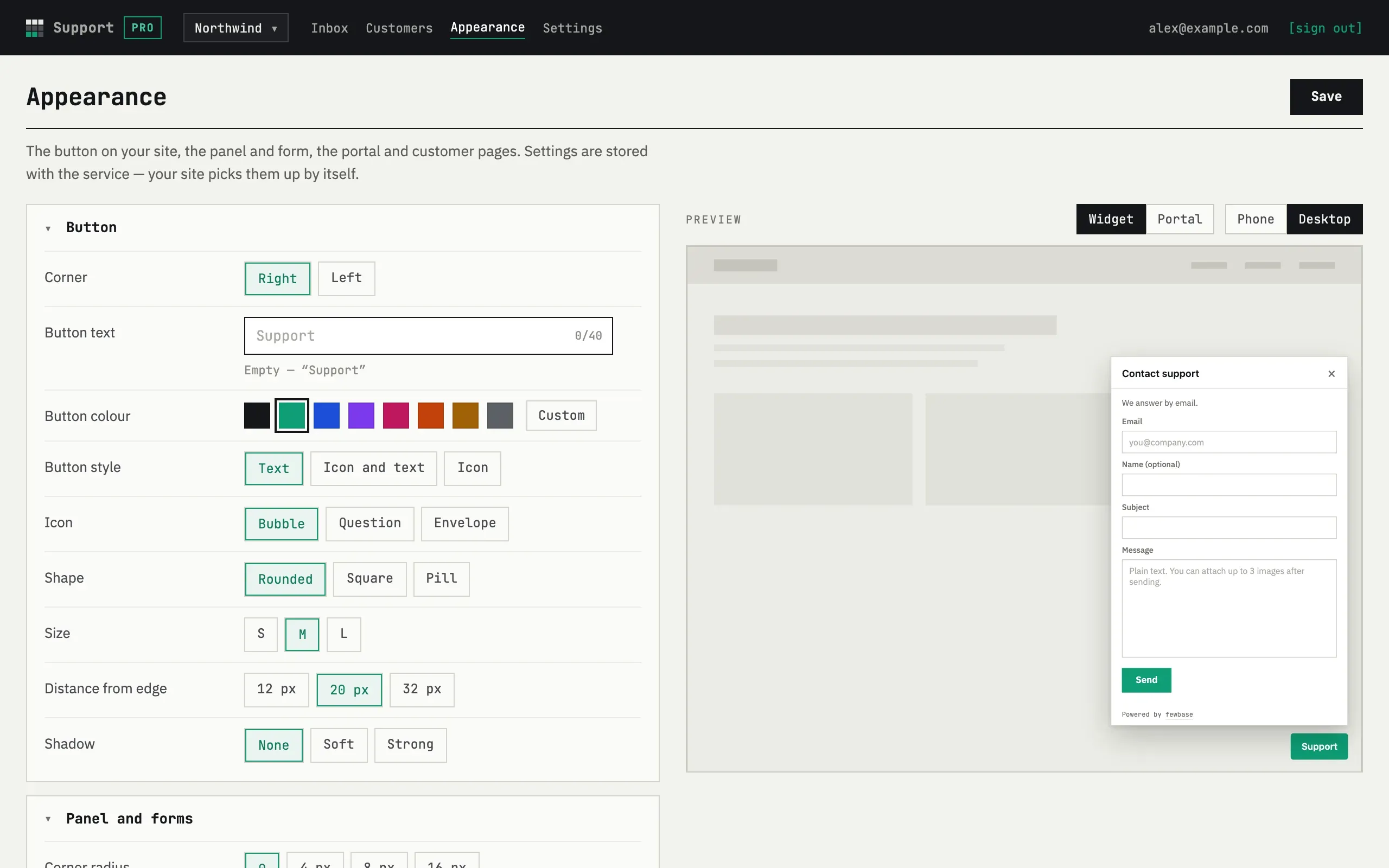
You paste one <script> tag, and a button appears on your site. It opens the
form right on the page. In the Appearance section you change the look of the
button and the form and see the result at once: color, shape, text, corner of
the screen. If you do not have a site, there is a ready support page with its
own address.
Spam is blocked without changes to your site
The form runs inside a frame from fewbase.com, so the bot check is already built in. You do not need to add or set up a captcha yourself.
A history for each client
Every address that wrote to you gets its own card with all its requests.
A team
If you do not answer alone, you can invite colleagues by email. Everyone works in the same list of requests.
Support is part of the same fewbase account as our other tools, and you can start for free.
